Track the business
Track time and bill it later
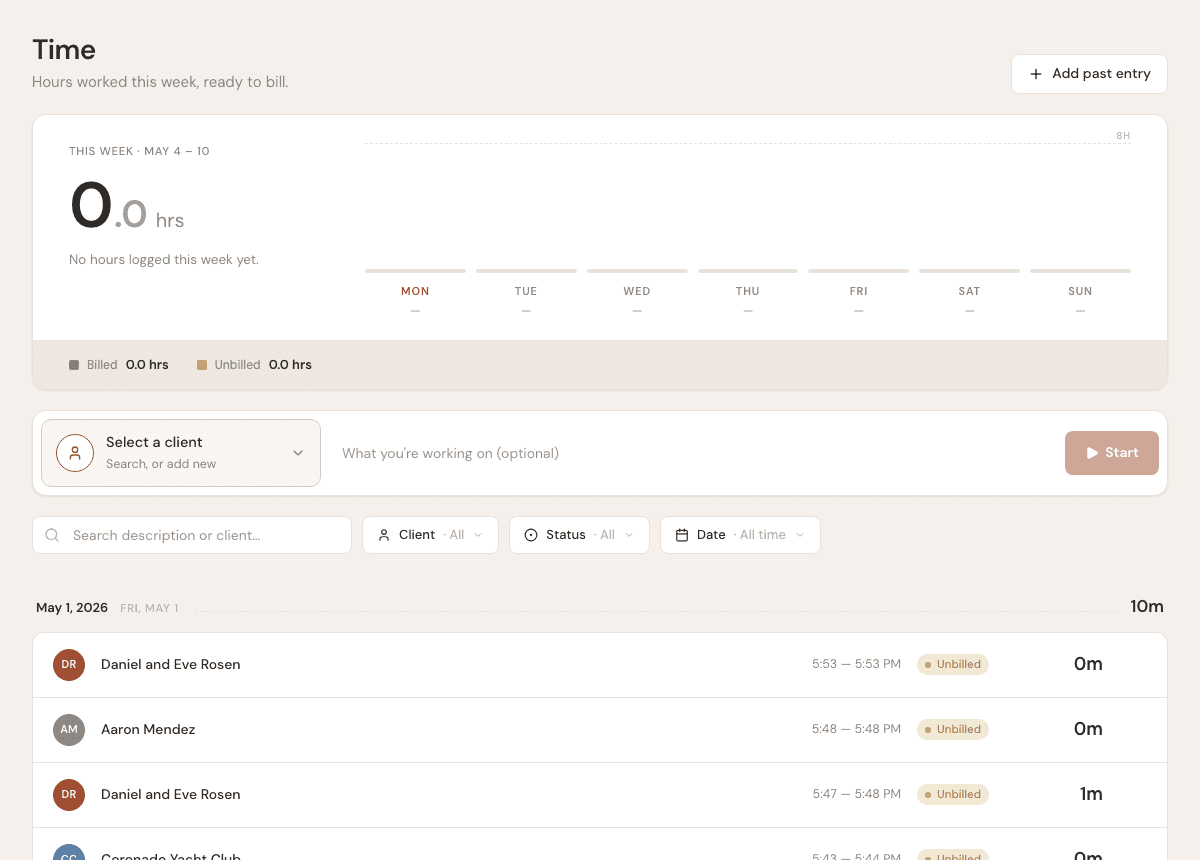
Use the timer or manual entries to capture billable work.
3 min
How it works
Time tracking is for contractors who bill hourly or want a record of how long work took. Billable time can be added to invoices.
Steps
- 1
Open Time from the sidebar.
- 2
Start the timer before beginning billable work, or add a manual entry afterward.
- 3
Choose the client and describe the work.
- 4
Stop the timer when the work is done.
- 5
When creating an invoice for that client, add unbilled time from the time log.
Good to know
- The running timer appears in the app shell so you can stop it from other pages.
- Manual entries are useful when you forgot to start the timer.
- Once time is billed on an invoice, it is marked as billed.