Get paid
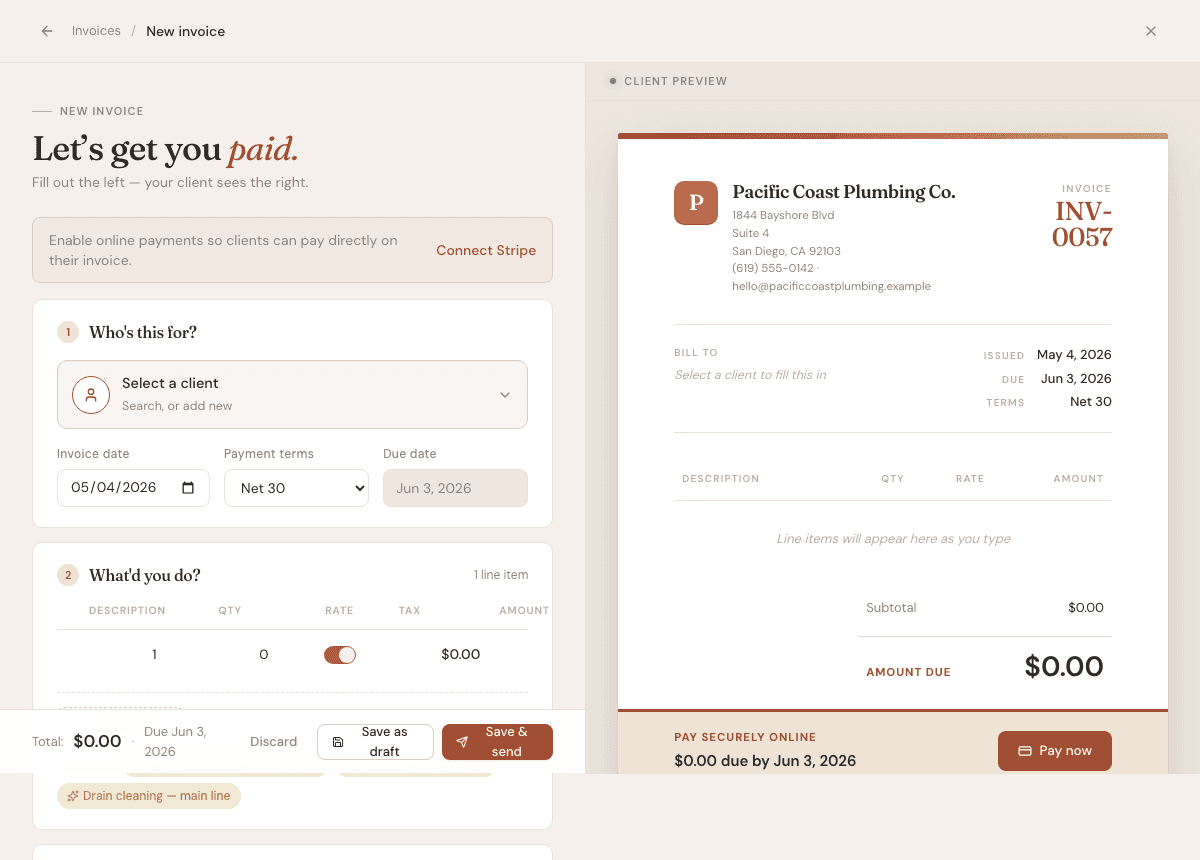
Create and send invoices
Build an invoice, add line items, and send it to a client.
5 min
How it works
Invoices are where AurenWell tracks money billed, money paid, due dates, reminders, and client-facing payment links.
Steps
- 1
Open Invoices, then choose New invoice.
- 2
Choose a client or add a new one from the client picker.
- 3
Add line items with a description, quantity, rate, and taxable setting.
- 4
Review invoice date, due date, tax, discount, notes, and attachments.
- 5
Save as a draft if you are still working, or preview and send when it is ready.
- 6
After sending, open the invoice detail page to copy the share link, send reminders, record payment, download a PDF, or edit if it is still allowed.
Good to know
- Draft invoices are not visible to clients.
- Overdue and partially paid statuses are calculated from dates and payments.
- Paid invoices are locked from major edits so your records stay reliable.