Get paid
Set up recurring invoices
Create repeating invoice schedules for retainers and repeat jobs.
4 min
How it works
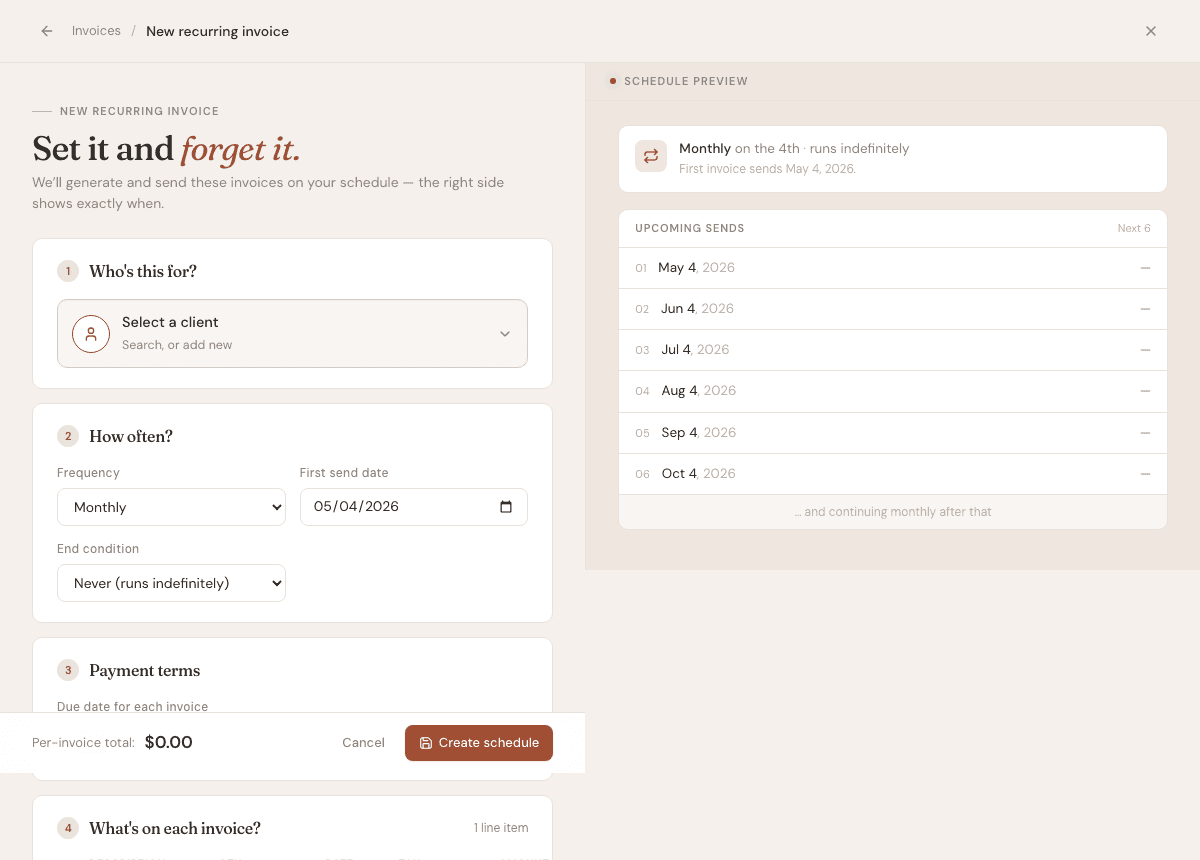
Recurring invoices are templates that generate future invoices on a schedule. They are useful for monthly maintenance, retainers, and repeat service work.
Steps
- 1
Open Invoices, then Recurring schedules.
- 2
Choose New recurring invoice.
- 3
Select the client, frequency, start date, and end condition.
- 4
Add the line items, tax settings, due date, notes, and reminder preference.
- 5
Save the template. Future invoices are generated from the template while it is active.
Good to know
- Changing a template affects future invoices, not invoices already generated.
- You can pause or end a recurring schedule when the agreement changes.
- Use recurring invoices only for predictable work. One-off jobs should use regular invoices.