Track the business
Use the dashboard work queue
See what needs attention when you open AurenWell.
3 min
How it works
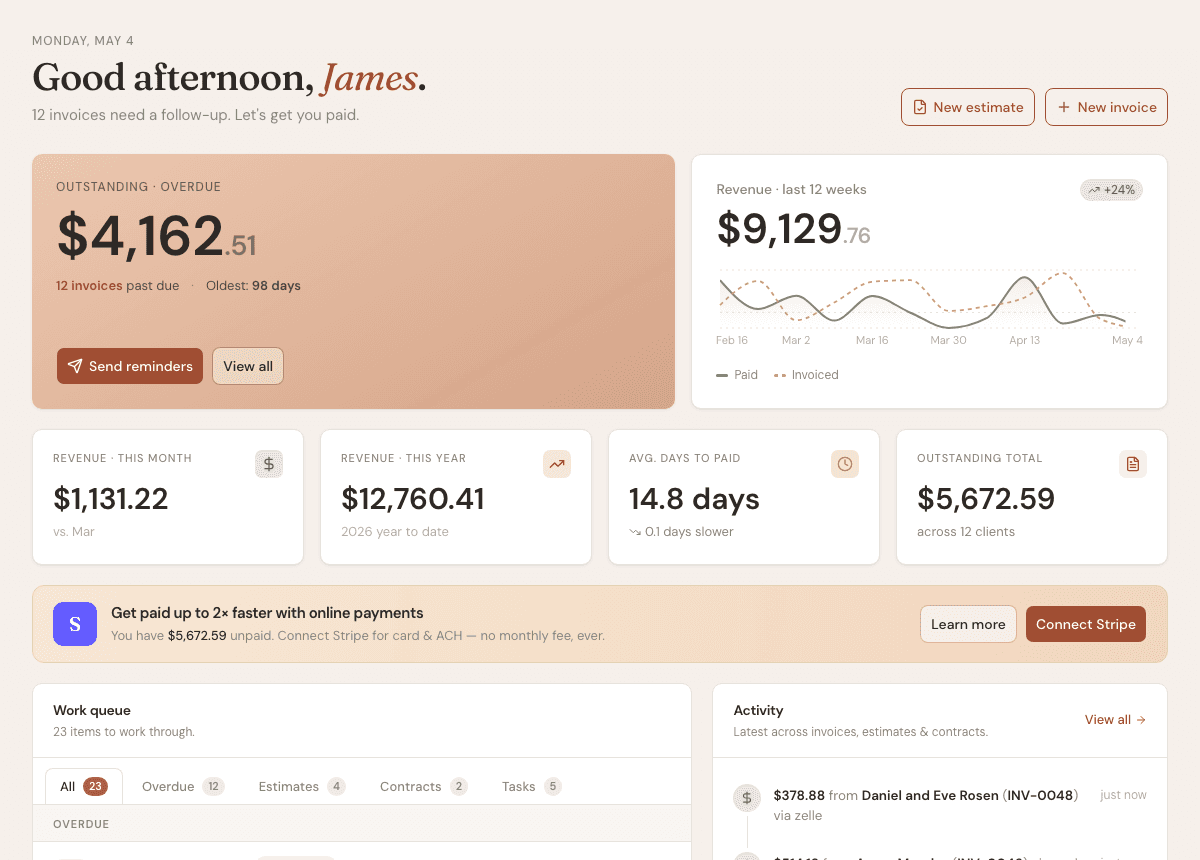
The dashboard is the fastest way to decide what to do next. It highlights overdue invoices, revenue, open work, and recent activity.
Steps
- 1
Open Dashboard after signing in.
- 2
Review the outstanding invoice card to understand what needs follow-up.
- 3
Use the revenue cards to see current paid and billed amounts.
- 4
Work through the queue tabs for overdue invoices, estimates, contracts, and tasks.
- 5
Open Activity to review recent invoice, estimate, contract, and payment events.
Good to know
- The dashboard changes as your records change.
- The work queue is designed for daily follow-up, not deep reporting.
- Reports are better for month-end review.