Get paid
Accept online payments
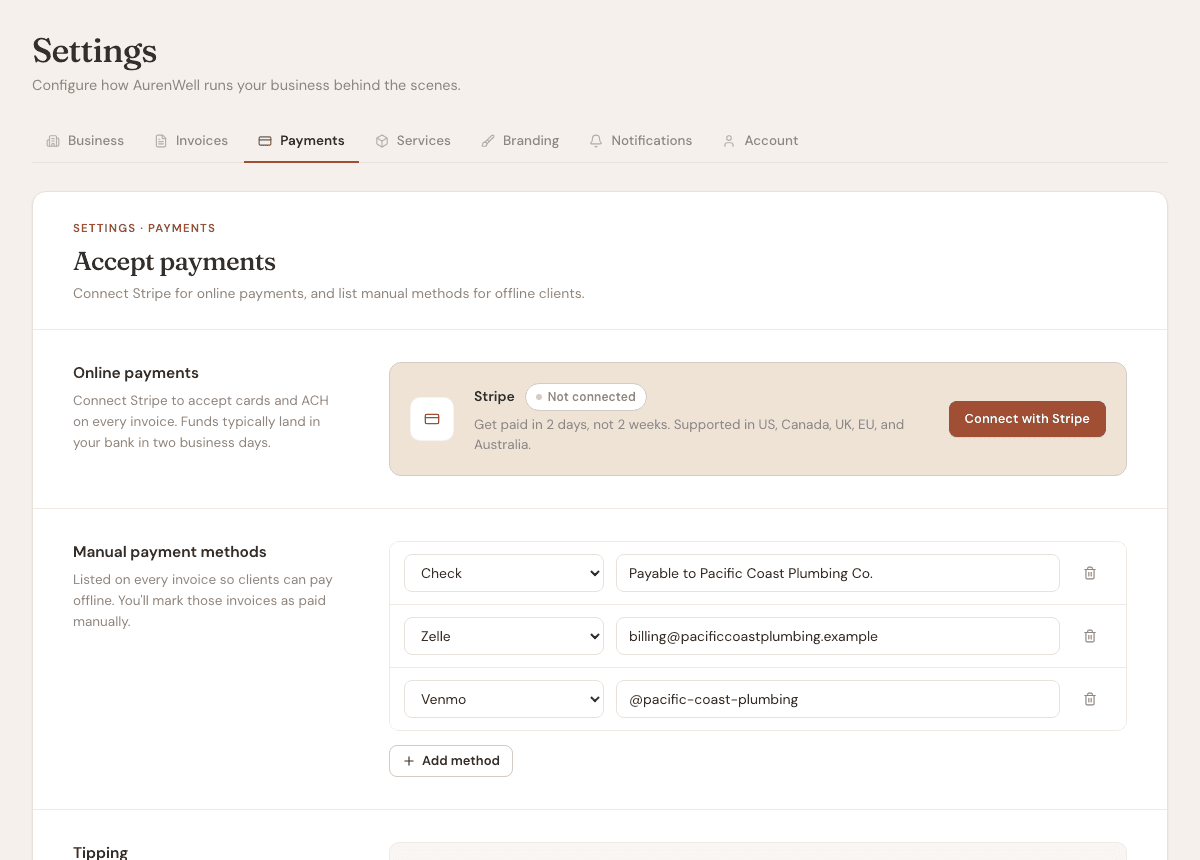
Connect Stripe so clients can pay invoices by card or ACH.
4 min
How it works
Online payments let clients pay from the invoice link. AurenWell uses Stripe Connect for secure payment processing.
Steps
- 1
Open Settings, then Payments.
- 2
Choose Connect Stripe and complete the Stripe onboarding flow.
- 3
Return to AurenWell and confirm that online payments are enabled.
- 4
Send an invoice. The client-facing invoice includes the available online payment option.
- 5
When Stripe confirms the payment, AurenWell records it and updates the invoice status.
Good to know
- AurenWell charges no monthly fee. The platform earns 1% only on online payments processed through Stripe.
- Manual payments do not have an AurenWell platform fee.
- If Stripe is not connected, you can still send invoices and record manual payments.