Start here
Get started with AurenWell
The fastest path from a new account to a sent invoice.
How it works
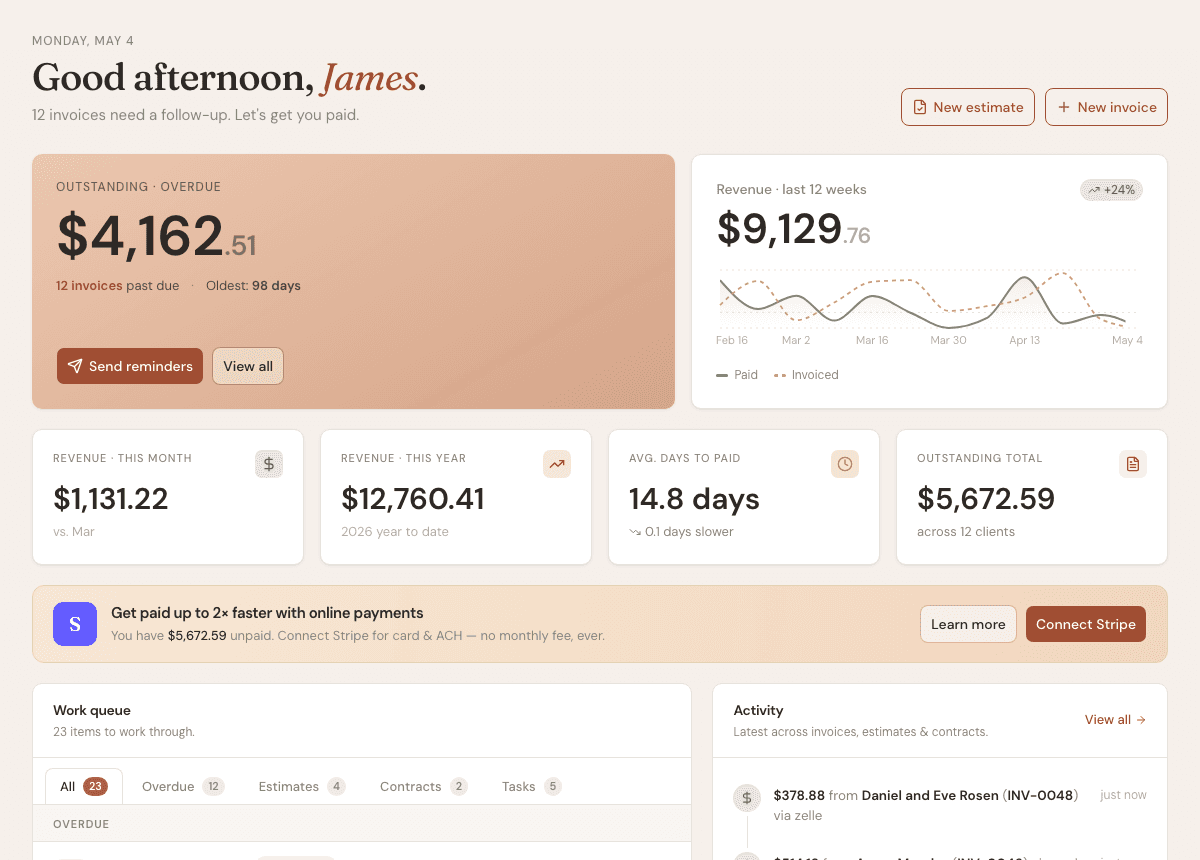
AurenWell is built around a simple loop: add a client, create the document, send it, and track what happens next. The dashboard shows the work that needs attention.
Steps
- 1
Open Dashboard to see outstanding invoices, recent revenue, and work that needs attention.
- 2
Go to Settings and add business details so invoices, estimates, and contracts show the right name, address, and contact information.
- 3
Add your first client from Clients or from the client picker while creating an invoice or estimate.
- 4
Create an invoice, estimate, or contract from the Create menu or the page-specific New button.
- 5
Use the dashboard work queue to follow up on overdue invoices, open estimates, unsigned contracts, and tasks.
Good to know
- You do not need to finish every setting before sending a first invoice.
- The dashboard updates as you create, send, and record payments.
- Online payments are optional. You can still record cash, check, Zelle, Venmo, and other manual payments.