Track the business
Track expenses and receipts
Log business spending and keep receipts with the expense record.
3 min
How it works
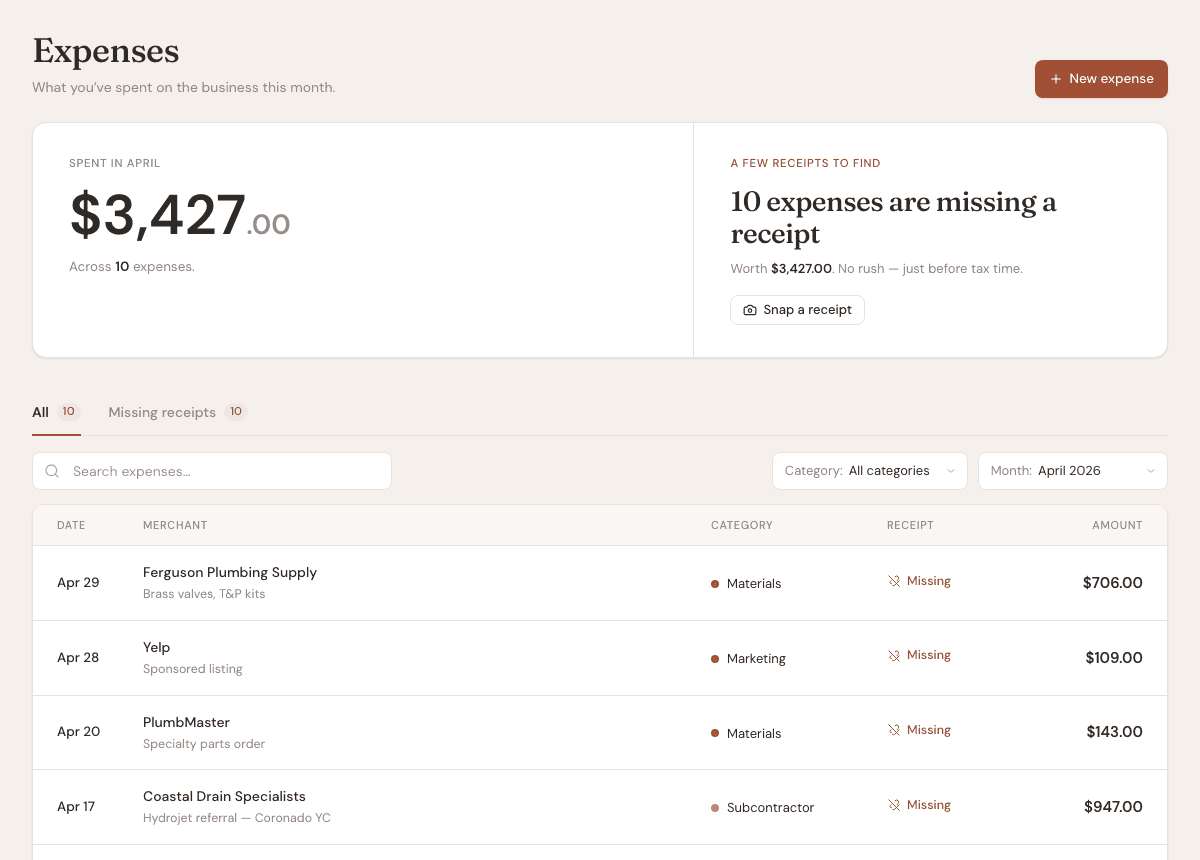
Expenses help you keep a lightweight record of business spending. They can be categorized for review and reporting.
Steps
- 1
Open Expenses, then choose New expense.
- 2
Enter the merchant, date, amount, and category.
- 3
Attach a receipt when you have one.
- 4
Link the expense to a client when it belongs to a specific job.
- 5
Use the expense list and reports to review spending over time.
Good to know
- Receipt uploads count toward your storage limit.
- Expenses are for tracking business records, not filing taxes for you.
- Use consistent categories so reports stay useful.