
You finish the job, open a blank invoice, and realize you're reconstructing the price from memory. The quote is buried in an email thread, the client approved a slightly different version over the phone, and the deposit invoice uses a project name that doesn't match either document. You know what you delivered, but you can't immediately prove which lines the client accepted.
That's where a quote to invoice workflow breaks down. The problem usually isn't a missing button that converts one document into another. It's scope integrity, the unbroken record connecting the approved estimate, the deposit, the changes, the completed work, and the final balance. When that record is weak, clients question invoices because the numbers don't match what they remember approving.
When the Quote and the Invoice Do Not Match
A common failure starts innocently. You send a quote with line items for a defined service, the client replies with approval, and work begins. During delivery, the client asks for an extra revision, a different material, or another visit. You agree verbally because the change seems small and you're standing on-site, on a call, or already inside the project.
At invoicing time, the original quote is no longer the whole story. You type the invoice into a Word document, copy what you can find from old messages, and add the extra work from memory. The deposit may have been issued under another project name, while the final invoice uses fresh descriptions and slightly different totals. Nothing is obviously fraudulent or careless, but the paper trail has lost its shape.
The handoff creates the risk
Retyping is the quiet source of many disputes. Client details get entered again. Line items are shortened. Quantities change. Taxes or discounts are recalculated manually. A phone-call amendment never reaches the quote, and an internal extra gets mixed with approved work.
The invoice then reflects your recollection of the job rather than a controlled record of authorization. That distinction matters because an invoice asks for payment, while the quote established what the client agreed to buy. Guidance on the difference between these documents makes the same practical point: an invoice should carry forward the accepted scope and client details instead of being rebuilt independently, as described in this quote versus invoice explanation.
Practical rule: If you can't trace every final-invoice line to an approved quote or an approved change, pause before sending it.
Why clients push back
Clients rarely dispute a bill only because they dislike paying. They dispute it because they can't reconcile it with their own records. “That wasn't in the quote,” “I thought the deposit covered that,” and “We agreed to a different amount” are symptoms of a broken handoff.
Independent coverage places unbilled delivered work in the 10% to 20% range, often connecting the leak to the point where a quote is retyped or reinterpreted before invoicing (BigTime's quoting and invoicing guidance). The precise loss varies by business, but the operational lesson is consistent: scope drift costs revenue and weakens your position when a client asks for evidence.
A clean system doesn't prevent every change. It makes each change visible, priced, approved, and easy to reconcile.
The Full Quote to Invoice Sequence
Treat the workflow as one chain, not as separate administrative tasks. The estimate starts the record, approval freezes the commercial agreement, the deposit invoice records early payment, change orders amend the scope, and the final invoice closes the account.
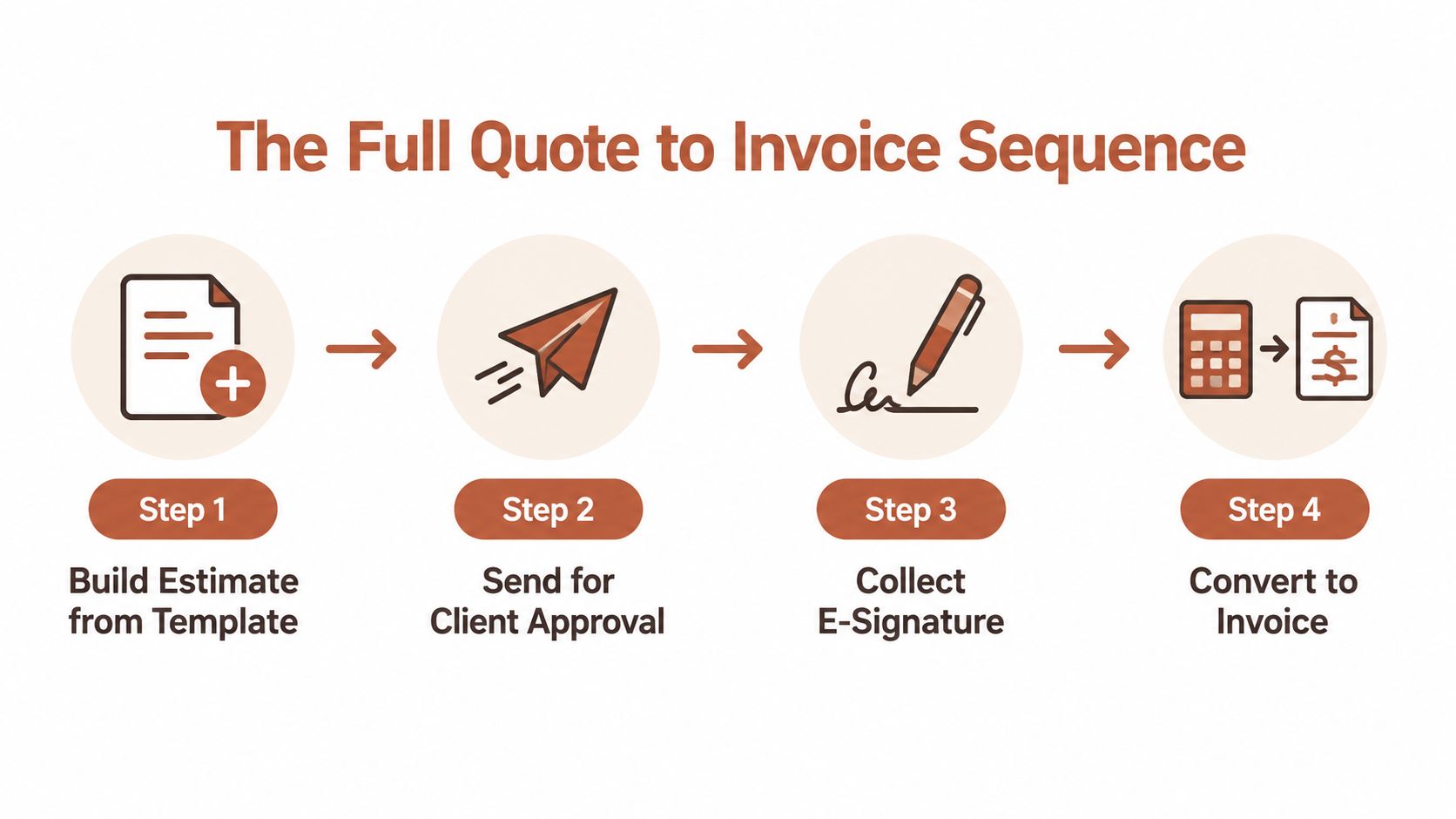
Build the estimate as structured data
Start with a reusable template, but don't let the template become a block of free text. Give every service, material, quantity, rate, discount, tax, and exclusion its own field or line. Add the project name, client details, validity terms, payment terms, and a clear description of what completion means.
A template speeds up drafting only when the underlying lines remain specific. “Design work” is difficult to reconcile later. “Homepage layout, desktop and mobile versions, one review round” gives you something concrete to carry into the final bill.
Capture approval before work starts
Send the estimate through a process that records acceptance. An email saying “sounds good” may be useful evidence, but a browser approval or e-signature gives you a clearer commercial checkpoint. Save the approved version and stop editing it.
Once accepted, convert the estimate into a project or client record. The record should retain the original document, approval event, communication history, deposit invoice, payments, and later amendments. That structure prevents the invoice from becoming a new interpretation of the job.
Issue the deposit separately
A deposit isn't merely a negative line inside an estimate. It's a payment request with its own invoice number, date, due terms, and payment status. Issue it against the accepted estimate, then apply the payment to that deposit invoice.
This separation matters at closeout. The final balance should reference the original estimate, the deposit invoice, and every approved change order, while clearly showing the amount already paid. Accounts receivable stays easier to audit because the deposit has its own identity.
Record changes before doing changed work
When the client requests something outside the accepted scope, create a change order or addendum. List the new work, price, timing impact, and any altered assumptions. Get written approval before proceeding unless the work is trivial and your terms address how small variations are handled.
At completion, generate the final invoice from the approved estimate and approved changes. Subtract the deposit already received, identify any milestone payments, and leave the balance due unmistakable.
One-click conversion only works when the quote contains structured, approved lines. It can't repair a quote that was vague from the start.
For a visual walkthrough of the conversion concept, this quote-to-invoice workflow video shows the connected movement from estimate to billing.
Sizing and Issuing the Deposit Invoice
Deposit policy should reflect the project's cash exposure, not a random number copied from another operator. Materials, reserved capacity, travel, subcontractors, and scheduling risk all affect how much money you need before work begins.
Market guidance describes different deposit patterns by project size. Small creative or trade jobs in the $1k to $10k range often use 50% upfront, medium projects from $10k to $50k commonly use 33% at signing, 33% at a milestone, and 34% on delivery, and larger jobs of $50k or more often use 25% at signing with milestone billing afterward (Billed's estimate and invoice guidance).
| Project Size | Deposit % | When to Invoice | Why This Range |
|---|---|---|---|
| Small jobs, $1k to $10k | 50% upfront | Before materials are ordered or the date is reserved | Covers early exposure and confirms commitment |
| Medium projects, $10k to $50k | 33% at signing, 33% at milestone, 34% on delivery | At approval, a defined progress point, and completion | Shares funding across the project |
| Larger jobs, $50k+ | 25% at signing | Before mobilization, followed by milestone invoices | Leaves room for staged billing as work progresses |
Give the deposit its own record
Don't fold the deposit into the estimate as if it were a discount or a negative service line. Create a separate deposit invoice with its own number and date, linked back to the parent estimate. If the client pays partially, record the partial payment against that invoice rather than marking the whole deposit as paid.
The final invoice should identify the deposit received and calculate the remaining balance. A client can then see the original agreed amount, the amount paid in advance, later authorized changes, and the amount still owed without interpreting your bookkeeping.
Set the timing in your terms
Choose one operational trigger and use it consistently. You might require cleared payment before scheduling, before ordering materials, or before the first day on-site. The right choice depends on your exposure, but the trigger must appear in the estimate or contract so it isn't introduced as a surprise after approval.
A separate deposit invoice also gives you a clean reminder and aging record. It shouldn't share a timer with the final balance invoice because the two requests arise at different stages and have different due dates. For a deeper treatment of deposit billing, see this guide to an invoice for a deposit.
Protecting Scope Between Approval and Final Invoice
An approved estimate doesn't automatically produce an accurate final invoice. The risky period begins after approval, when the client remembers the project as flexible and the operator starts absorbing small requests to keep momentum.
A designer may agree to two extra logo revision rounds during a call. Later, the client asks for another adjustment, and the designer completes it without documenting the change. At billing time, the operator remembers three extra rounds and charges for them. The client remembers two. Both people may be acting in good faith, but only one version can be supported by the record.
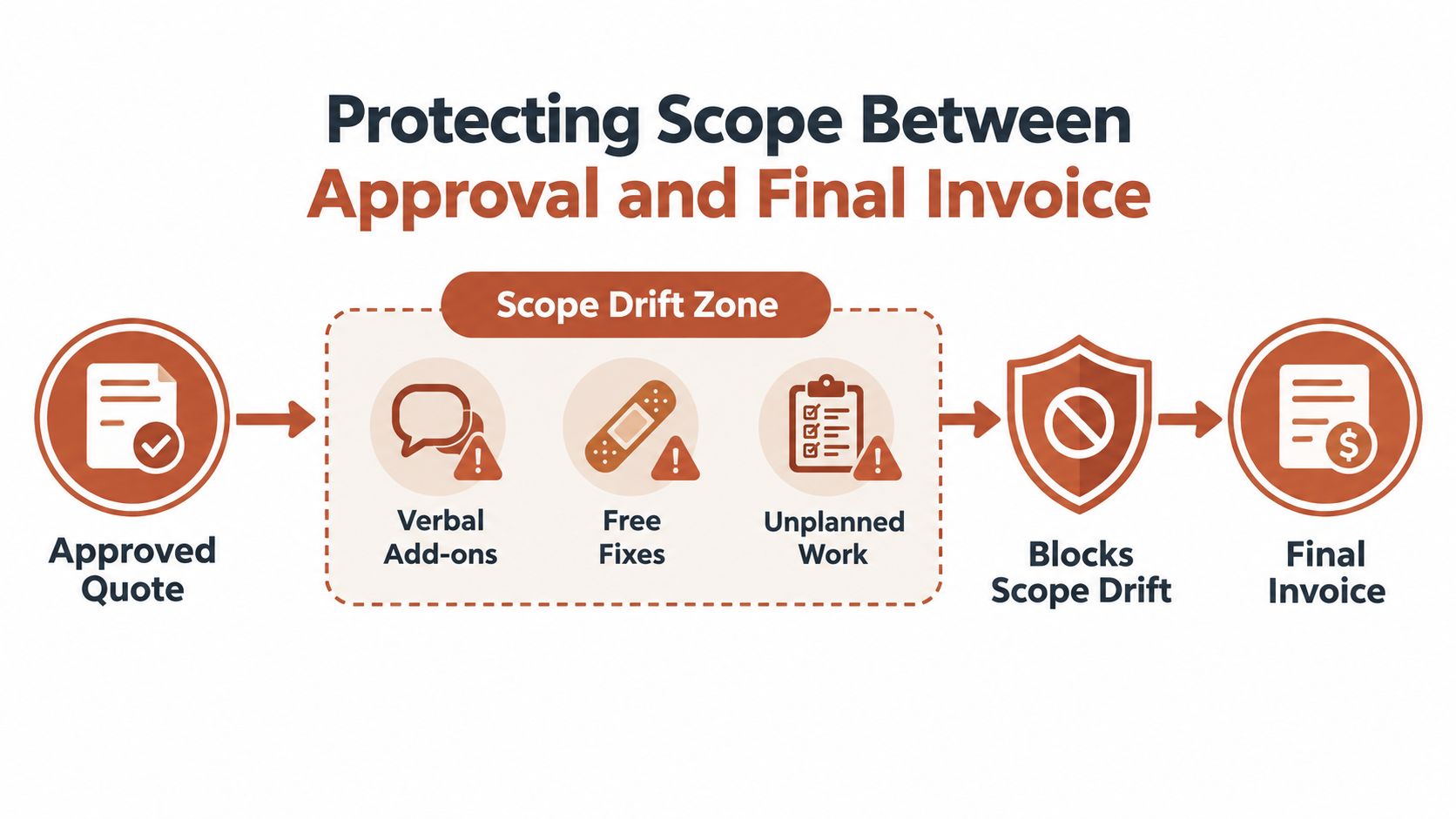
Freeze what was approved
The first checkpoint is simple: preserve the signed estimate exactly as accepted. Don't edit the original line items, quantities, prices, or totals after approval. If the client's needs change, add an amendment rather than rewriting history.
The second checkpoint is a written change order. It should include the added or removed work, its price, and the client's approval. Keep it connected to the parent estimate, but separate from the original scope.
Separate extras from client changes
Not every extra is billable. Internal overages might come from rework, an inefficient process, a missed assumption, or a rush request that wasn't clearly priced. Track those items on an internal review sheet first. Decide whether to bill, absorb, or discuss them before they appear on the invoice.
Use terms that explain how scope changes work, including approvals, exclusions, revision limits, and payment consequences. A practical reference for building those protections is this guide to estimate terms and conditions.
Reconcile before sending
Before issuing the final invoice, compare it line by line against two sources only:
- The frozen, signed estimate.
- Signed change orders or addenda.
Remove anything that can't be traced to one of those documents. Add anything authorized but missing. Confirm that the deposit, payments, taxes, and balance are represented accurately.
This final check is where the designer catches the difference between two and three extra revision rounds. It's also where a contractor notices that an additional material was approved but never added to the bill. The invoice becomes defensible because each charge has a clear origin.
Closing the Loop With a Reminder System
Late-payment management works better as a reminder system than as a series of improvised chases. A useful cadence starts from the issue date of the final balance invoice, not from the date of the original estimate. Deposits and final balances need separate timers because they're separate invoices.
A practical rhythm is 3, 7, and 14 days after issuance. Send a friendly note at day 3 that assumes the invoice was overlooked. At day 7, restate the amount, due date, payment link, and any reference the client needs for approval. At day 14, send a firmer notice and apply a late fee only if the fee and its terms were disclosed in the original quote or agreement.
Write the messages once
Automation fails when every reminder still requires fresh writing. Prepare three messages that match your tone and policy, then set the triggers against the correct invoice.
- Day 3: “A quick reminder that invoice [number] is available for payment.”
- Day 7: Restate the outstanding amount and due date, and include the direct payment route.
- Day 14: Explain that the invoice remains unpaid and identify the next step under your agreed terms.
The timing has practical support. One dataset found 58% of invoices were paid after the first reminder, with another 21% recovered after a second reminder, meaning roughly 80% of ultimately paid invoices were collected by two reminder emails (invoice reminder statistics from Zintego).
A reminder should make payment easier, not make the client search through an old email thread.
Know when automation ends
Templates handle routine follow-up, but they won't resolve every late payer. Some clients need a phone call, a corrected purchase-order reference, or confirmation that the work passed an internal approval step. Use an email tracking resource such as this Mail Tracker for Gmail review if you need more visibility into whether important messages were opened, while keeping delivery and payment records in your invoicing system.
The system earns its value by making personal intervention the exception. When you call, you should already know which invoice is overdue, when it was sent, what was paid, and which approved scope supports it.
Why One Tool Beats a Quote App Plus an Invoice App
Two specialist apps can look attractive. One may produce polished proposals, while the other may offer stronger payment features. The hidden cost appears at the handoff, when you copy client details, retype line items, rebuild totals, attach the deposit, and check both documents by eye.
Every manual transfer creates another opportunity for the invoice to diverge from the approved quote. It also fragments the client history. The signed estimate sits in one system, payment status in another, and change-order messages in email.
Compare the operational cost
| Factor | Two Separate Apps | One Integrated Tool |
|---|---|---|
| Client details | Re-entered or imported between systems | Carried through the same record |
| Line items | Retyped into the invoice | Converted from approved estimate lines |
| Deposits | Reconciled manually | Linked to the parent project or estimate |
| Change orders | Stored in another workflow | Kept with the original scope |
| Audit trail | Split across tools and email | Centralized around the client record |
| Design quality | Each document may be more specialized | One tool may be less polished in one area |
A single tool won't always win on document design. You may prefer a specialist quote builder's layout or an accounting platform's invoice controls. The deciding question is operational: which failure hurts more, a quote that looks slightly less refined or a final invoice that doesn't match what the client signed?
AurenWell is one example of a browser-based tool that combines estimates, approval, e-signatures, deposits, invoices, payment links, and client records. Its estimates can be converted into invoices after approval, while contracts and payment activity remain associated with the client record. Review the trade-offs in this guide to estimate and invoice software before choosing a setup.
Your Quote to Invoice Checklist
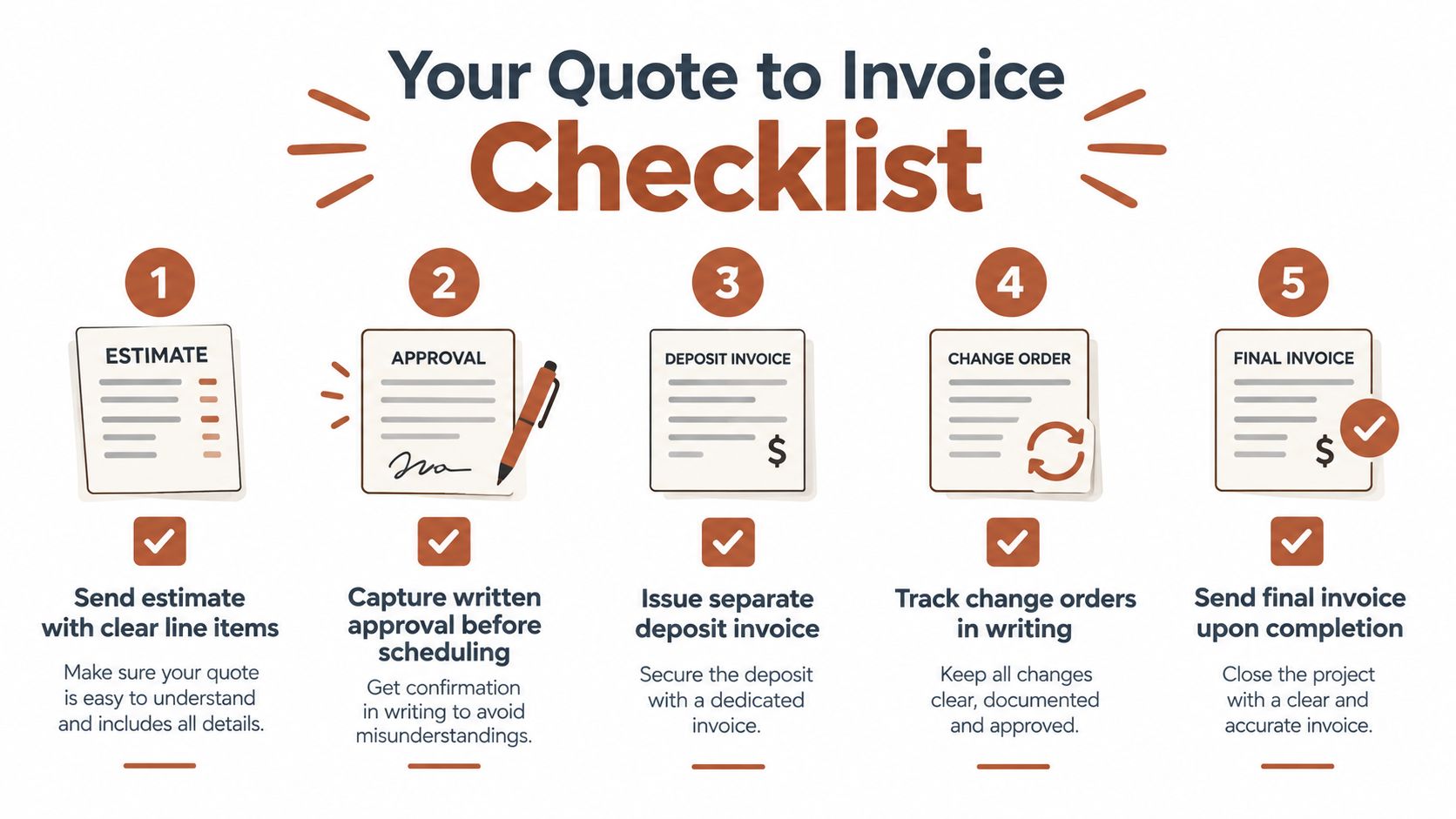
Use this as a weekly operating sheet. The point isn't to add bureaucracy. It's to make the next invoice traceable before the project becomes difficult to reconstruct.
- Send the estimate: Use clear line items, quantities, prices, exclusions, payment terms, and a defined validity period.
- Capture approval: Get written approval or an e-signature before scheduling work or ordering materials.
- Create the deposit invoice: Issue a separate invoice number and link it to the accepted estimate.
- Freeze the estimate: Preserve the approved version and never rewrite its original lines.
- Record changes: Use written change orders or addendum quotes for client-requested scope changes.
- Issue the final invoice: Mirror the approved estimate and approved changes, then show deposits and other payments separately.
- Start reminders: Trigger the balance-invoice cadence at 3, 7, and 14 days, using a separate timer for the deposit.
A template can support most of this process, but it can't decide whether a verbal request changed the contract or whether an internal overage should be absorbed. Those decisions still need your judgment. The workflow ensures you make them with the signed scope, payment record, and change history in front of you.
Set up your next job so the accepted estimate becomes the source for the deposit, change orders, final invoice, and reminders. Before scheduling the work, verify the approval record, create the separate deposit invoice, and write down the exact rule you'll use for any scope change. That small discipline turns invoicing from a memory exercise into a controlled path to payment.