
The truck is repacked, the customer is shaking your hand, and you're ready for the next call. Then they hand you a check, mention the deposit they already sent, and ask you to email the balance to their spouse. You can fix the plumbing. The question is whether you can reconstruct that payment conversation when you're tired tonight.
That's the buying test for plumbing invoicing software. Don't start with the payment button or the invoice template. Start with whether the software keeps an accurate, defensible record when a customer pays through several methods and the job changes halfway through.
What Plumbing Invoicing Software Actually Does
Plumbing invoicing software is the administrative layer between agreeing to work and documenting what you've collected. It should let you finish that paperwork while the customer, job details, and payment conversation are still in front of you.
It isn't a replacement for sound estimating or accounting advice. Its job is narrower: connect the scope you offered, the work the customer authorized, the amount you billed, and the payments you received.
Keep each document in its proper role
A solo operator needs documents that answer different questions:
- Estimate: What work are you proposing, what's included, and what will it cost?
- Contract or service agreement: What responsibilities, exclusions, and conditions have both parties accepted?
- Invoice: What amount are you requesting for this job, and when is it due?
- Receipt: What payment did you receive, by which method, and against which balance?
Don't treat an invoice marked paid as a substitute for payment detail. If the customer asks whether their deposit was credited, you need to show the transaction, not just a green status label.
For installation work that requires more detailed scope preparation, Exayard plumbing estimating software is a resource to consider during the estimating-tool evaluation. Keep the buying questions separate: can you prepare the scope properly, and can your invoicing workflow preserve that scope through collection?
Finish the paperwork where the work happens
Mobile-first should mean more than a desktop screen squeezed onto a phone. You should be able to correct the billing contact, add an approved extra, inspect the outstanding balance, and send the document without returning to the shop.
Browser-based approval and signing are worth testing from the customer's side. A customer shouldn't need your app installed just to accept an estimate. Ideally, they can review the document, authorize the work, and follow the payment path without hunting through separate messages.
Practical rule: Don't leave the driveway with a payment arrangement that exists only in your memory.
A polished PDF is useful for printing and sharing, but it isn't automatically a structured e-invoice. Structured electronic invoices let receiving systems process transaction and tax fields rather than reconstructing them from an attachment, a distinction explained in the European Commission's e-invoicing thematic report. If commercial clients require that interoperability, verify it explicitly.
Why Solo Plumbing Operators Need a Different Stack
You're not choosing software for a dispatcher, payroll clerk, and accounts department. You're choosing software for the person who answers the phone, buys the fittings, performs the repair, and sends the bill.
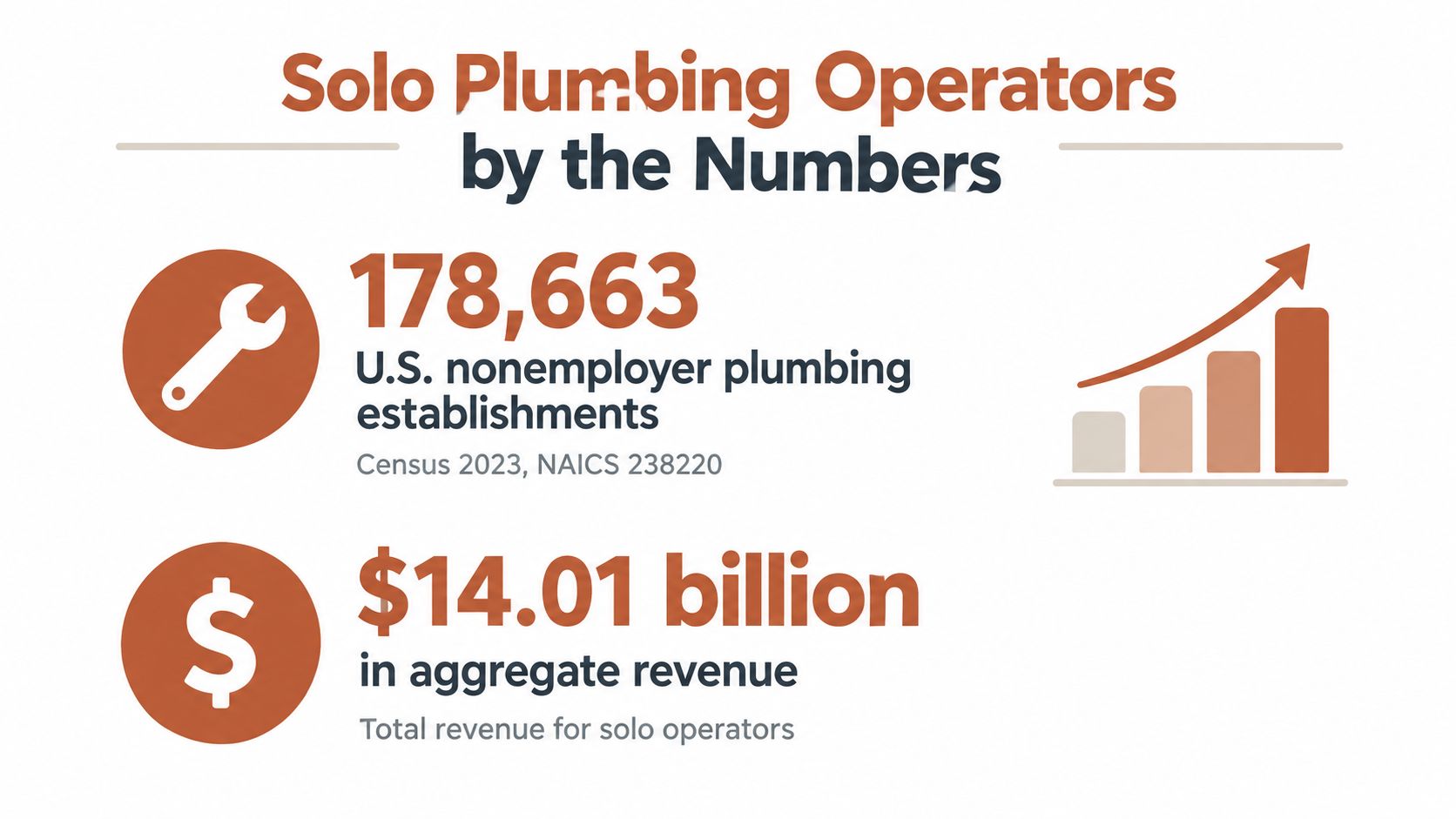
The scale of that audience matters. Census-based figures summarized in this plumbing-business earnings analysis show 178,663 nonemployer establishments and $14.01 billion in aggregate receipts in 2023 for NAICS 238220, covering plumbing, heating, and air-conditioning contractors, with an arithmetic average of approximately $78,389 per establishment.
The important qualification is that this category includes heating and air-conditioning contractors, not only plumbers. Nonemployer establishments have no paid employees, making them a useful proxy for solo businesses; the average is neither typical owner profit nor median revenue.
Buy for your current operation
That business profile doesn't automatically rule out broader software. It does rule out buying complexity merely because a sales demonstration makes it look impressive.
Dispatch tools become relevant when you're assigning work across technicians. Payroll modules become relevant when you have payroll to run. Neither deserves priority over finding an unpaid balance on your phone.
- Keep the daily layer narrow: Customer details, documents, payment records, and job-related expenses should be easy to reach.
- Keep accounting responsibilities clear: A lightweight invoicing app doesn't remove the need for accurate bookkeeping or tax advice.
- Add complexity for a named problem: Buy scheduling, inventory, or accounting integrations when your actual workload requires them.
A broad suite can be the right choice if you need coordinated workflows across employees. For a one-person shop, my recommendation is to start with the smallest tool that preserves complete records and exports them cleanly.
The constraint isn't ambition. It's attention. Every screen you must configure is another screen competing with the work you're being paid to do.
The Seven Features That Matter on a Service Call
Ignore the feature-count contest. Evaluate the features in the order you'd use them, from the customer's first approval to the final reconciliation.
From scope to collection
Mobile invoicing and presentation come first. In the driveway, you need readable line items, your business details, a clear balance, and an online payment link. Branding helps identify the sender, but a logo won't rescue an incorrect amount due.
Estimate conversion should preserve the approved scope without retyping it. Test what happens when you add authorized work: the original approval should remain available, and the extra charge should have its own explanation.
Mobile agreements and signatures matter when a repair becomes a larger installation or an ongoing service commitment. Check whether you can retrieve the signed version later, including its approval history, rather than only the latest editable draft.
The next feature deserves special scrutiny:
- Mixed-payment recording: Cash, checks, transfers, and processor payments must reduce the correct balance while retaining their separate methods and references. A checkbox labeled paid isn't enough.
Among narrower invoicing tools, AurenWell provides estimates, contracts, Stripe payments, manual payment recording, recurring billing, client histories, time tracking, and expense capture. Evaluate it alongside other options against your own workflow, not merely the advertised list.
From repeat work to usable records
Recurring schedules and reminders should let you bill agreed maintenance work without rebuilding the document. Test whether reminders respect partial payments and stop after collection.
A central client record should distinguish the service address from the billing contact. That matters when you're standing in a tenant's kitchen but need authorization and payment from a property manager.
Time and expense capture complete the field workflow. Log billable work while it's fresh, photograph the supply-house receipt, and keep the expense connected to the job.
Solo Plumbing Needs vs Generic Accounting Bundles
Use this as a comparison lens, not an assumption that every accounting product behaves alike.
| Capability | Solo Plumbing Need | Typical Accounting Suite |
|---|---|---|
| Daily workspace | Job documents and balances | Ledger and financial-reporting workspace |
| Work authorization | Accessible signed scope | May require another document workflow |
| Collection | Online and manual payments tied to invoices | Check how payment entry connects to job evidence |
| Field expenses | Receipt capture during the job | Check mobile capture and categorization |
| Accountant handoff | Usable income and expense exports | Broader accounting records and reports |
Before choosing, run a partial-payment test. Apply a deposit, record a manual payment, and inspect the remaining balance and receipt. Then try reversing an incorrect entry. The tool should preserve what happened, not erase the mistake as though it never existed.
Payment Timing Is the Real Problem
Sending an invoice isn't the same as collecting money. Your parts supplier, fuel bill, and insurance obligations don't wait while a customer decides which payment route to use.
An unpaid invoice is still your responsibility to manage after the tools are packed away.
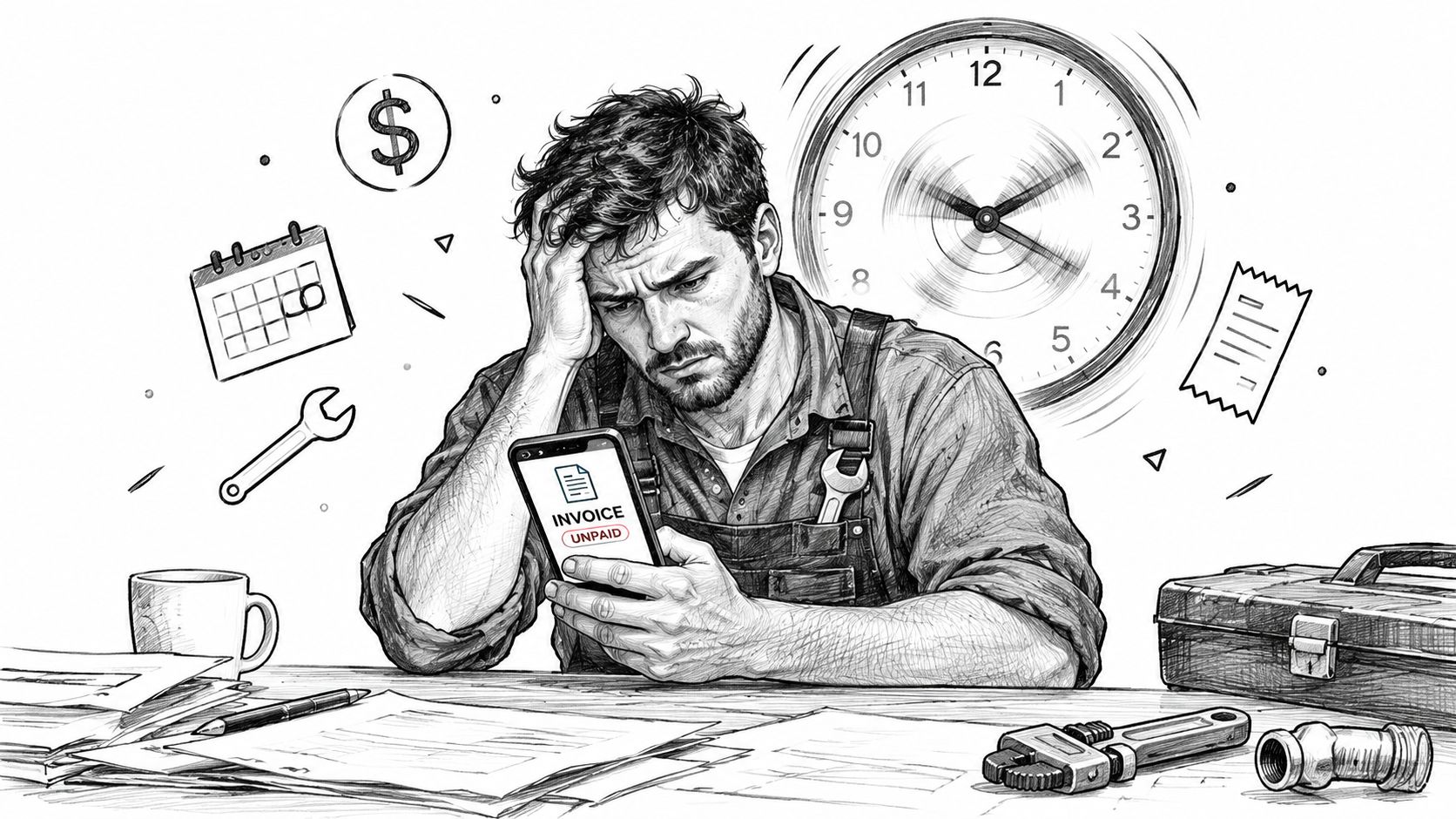
The Boston Federal Reserve's discussion of small-business payment challenges reports that roughly 80% of small firms experienced payment-related problems in its 2024 payments report, and explains that paper-check workflows can add several days while ACH generally settles within one to three days. Those are small-business findings, not plumbing-specific results, and settlement still depends on the arrangement and institutions involved.
Set terms before you start
My recommendation is to match the collection arrangement to the customer and your exposure:
- Residential emergency work: Agree to payment on completion before beginning, including who will pay.
- Property managers: Confirm the billing entity, authorization contact, purchase-order requirements, and agreed net terms. Negotiate a deposit when you must commit substantial money to materials.
- General contractors: Agree to staged billing, approval requirements, and any retention conditions before you carry installation costs.
The QuickBooks Small Business Late Payments Report for 2025 found 56% of surveyed businesses were owed money on unpaid invoices, with affected businesses owed an average of $17,500, while 47% reported some invoices more than 30 days overdue. Automation won't resolve an argument over whether the customer authorized the work.
Use a customer-payment collection workflow that checks the billing contact, supporting evidence, and remaining balance before escalating. Don't send increasingly stern reminders for an invoice you haven't reconciled.
For another view of the invoicing workflow, this video can support your evaluation.
Keep business collection planning separate from household protection planning. If your family depends on your income, contractor life insurance cost tips can be a separate budgeting resource, not a substitute for managing receivables.
A reminder should request an agreed payment, not introduce terms the customer never accepted.
Pricing, Fees, and What Is Actually Excluded
Read the fee schedule with a sample job in mind. You're buying software access, but you may also pay for processing transactions, additional services, or features outside the advertised plan.
Don't compare sticker prices until you understand those boundaries. A cheaper subscription can be the wrong purchase if it can't preserve your payment history.
Separate access costs from transaction costs
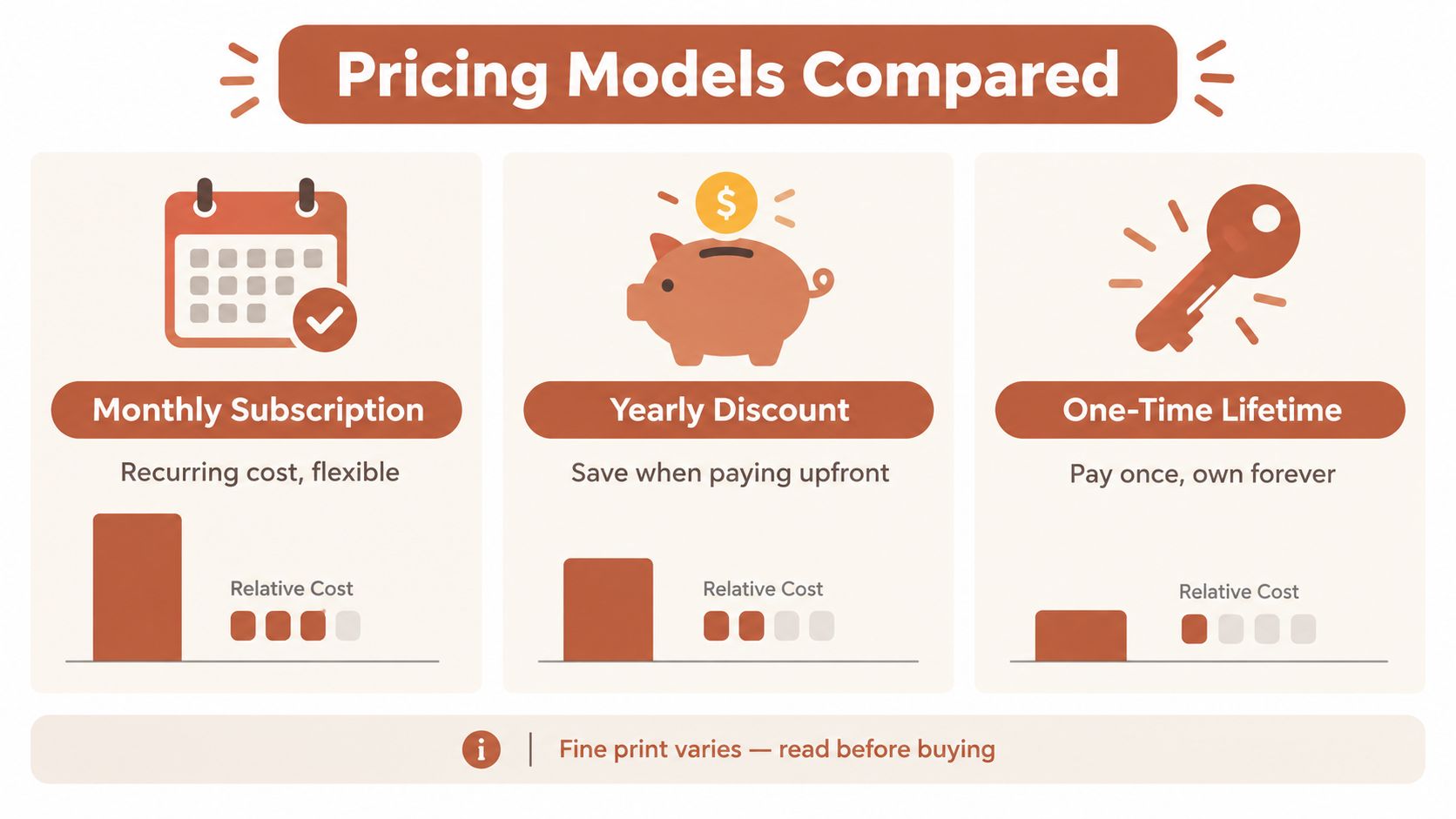
| Model | Reason to consider it | Fine print to inspect |
|---|---|---|
| Monthly subscription | Smaller initial commitment while testing | Cancellation, plan limits, and feature access |
| Annual subscription | Potential discount for committing upfront | Renewal terms and refund eligibility |
| Lifetime purchase | Avoiding a recurring software-access charge | Meaning of lifetime, ongoing service costs, and support |
The graphic's relative bars aren't a total-cost calculation. A lifetime label doesn't mean you own the software, that the vendor will operate forever, or that payment processing becomes free.
For online collection, inspect processor charges separately from any platform charge. Review the processing-fee explanation and compare it with the processor agreement applicable to your account. Ask how refunds, failed payments, disputes, and manual entries are treated.
Pay for boundaries you understand
A narrow tool that excludes dispatch, payroll, and double-entry accounting can be a sensible purchase. Those exclusions become a problem only when you need the missing workflow and have no reliable way to connect it.
- Refund terms: Confirm eligibility, timing, and whether the policy covers only the initial purchase.
- Exports: Inspect the files before committing. A readable invoice PDF and usable transaction export serve different purposes.
- Ongoing access: Ask what happens to documents and records after cancellation.
- Support: Find out how you'll resolve a payment-status problem during a working day.
My preference is a monthly commitment while testing an unfamiliar product, unless the refund and exit terms make another option equally practical. Don't buy lifetime access to avoid evaluating the workflow.
The exit test is whether you can leave with customer records, documents, and payment details you can still understand.
How to Keep Card Data Off Your Laptop
A customer offers to read their card number over the phone while you're writing up the job. Don't put it in the invoice notes, a spreadsheet, or a message to yourself. Send them the hosted payment page.
PCI DSS applies to entities that store, process, or transmit cardholder data, including connected systems that can affect the cardholder-data environment. The Microsoft guidance on PCI DSS describes controls covering stored data protection, encrypted transmission, access restrictions, authentication, monitoring, and secure software.
Let the processor handle payment credentials
Prefer hosted checkout or a properly implemented tokenized integration. The invoicing application should pass the amount and relevant customer context to the processor, then retain non-sensitive references and transaction status.
That architecture reduces card-data exposure. It doesn't eliminate your responsibility to understand applicable merchant requirements or secure your devices and accounts.
Ask the vendor where customers enter card details and what the invoicing application stores. Read its security and data information, then request clarification if the payment boundary isn't clear.
- Keep credentials out of records: Never save card numbers or sensitive authentication details in notes, receipts, exports, screenshots, or support messages.
- Require secure exchanges: Ask whether every payment-related exchange uses TLS, including integrations.
- Protect account access: Use distinct passwords, enable multifactor authentication where available, and lock your phone and laptop.
- Preserve transaction events: Refunds, reversals, and corrections should leave a history rather than overwrite the original event.
Separate invoice edits from payment events
Changing a line item must not change the record of a payment already received. The invoice describes the amount billed; the transaction history records money moving.
Suppose you correct a material charge after collection. You need a visible adjustment and, where appropriate, a refund or credit record. Editing the total until it appears to match destroys the explanation.
Security boundary: Keep enough information to reconcile the payment, but not the credentials needed to make another charge.
If a vendor can't explain that separation plainly, don't entrust it with your collection workflow.
A Real Week on the Schedule
Consider this illustrative week, not a customer case study. You're handling a water-heater replacement and an ongoing maintenance agreement for a small property manager.
On Tuesday, you inspect the heater and prepare the proposed replacement scope on your phone. The homeowner approves it through the browser, and you record the agreed deposit before ordering materials. When you find additional work, you request approval before adding it to the bill.
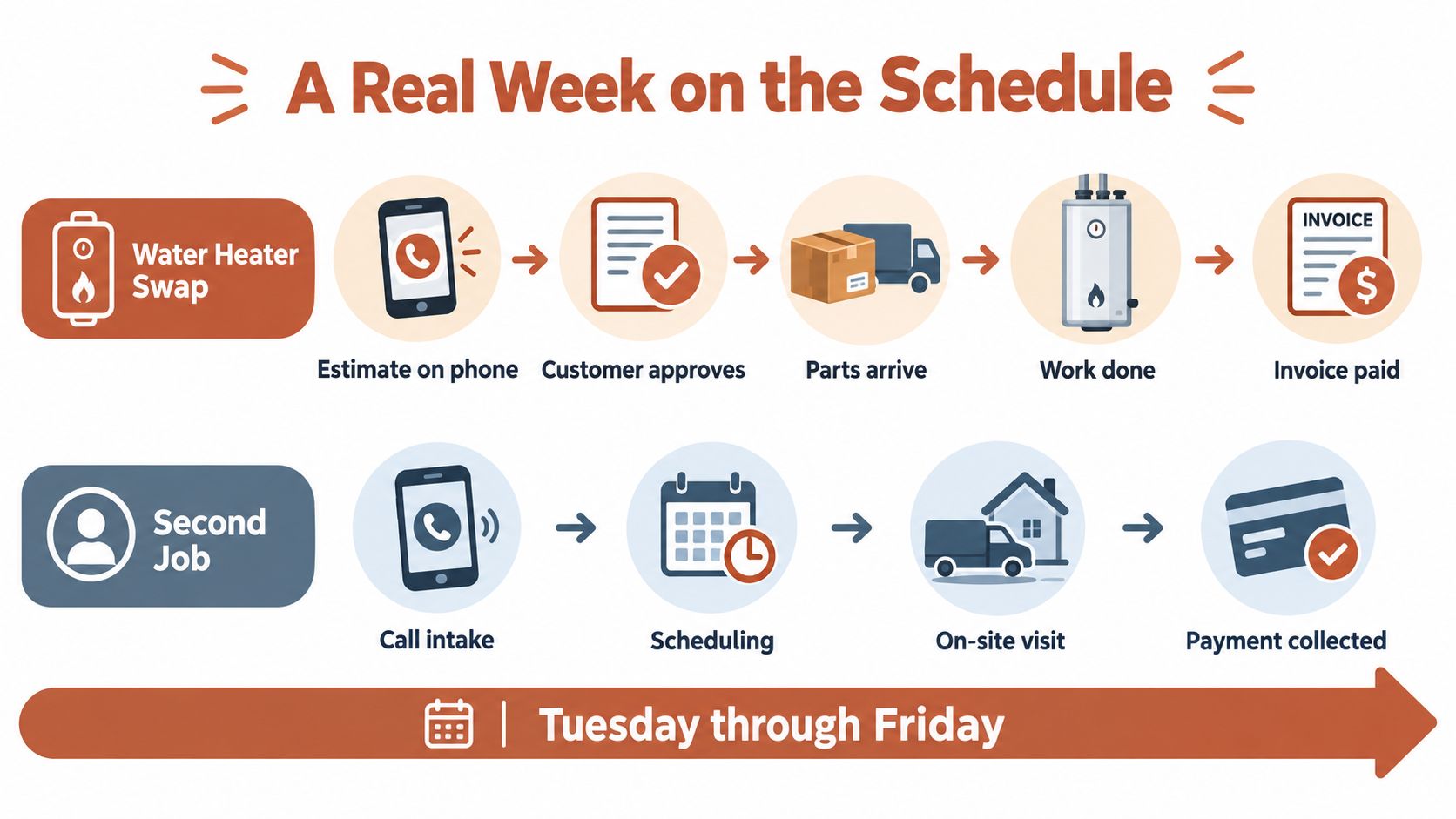
The replacement job needs separate payment entries
After installation, you attach a completion photo and obtain the customer's sign-off. You convert the approved estimate into the final invoice, retaining the authorized extra rather than folding it into an unexplained total.
The homeowner pays part through Stripe. A neighbor who owes the homeowner money supplies a check toward the rest, so you record the payer's identity and apply that check to the homeowner's invoice. You distinguish receiving the check from confirming that it cleared.
That evening, a card dispute appears. Don't enter another cash payment to make the invoice look settled. Preserve the original card transaction, record the dispute status, and compare the verified collections with the actual outstanding balance.
The maintenance account needs continuity
The property manager's scheduled invoice draws from the agreed maintenance template. The signed agreement is already in the client history, and the billing contact is separate from the properties you visit.
Before a reminder goes out, you check whether a bank transfer has arrived. Once verified and recorded, it should update the balance rather than become an unrelated income entry.
- Parts receipt: You photograph the supply-house receipt and categorize the job expense.
- Personal-card purchase: You identify that you paid personally, without recording reimbursement as another material expense.
- Week-end handoff: You export the records and inspect whether invoices, payments, and expenses remain distinguishable.
The success condition isn't that both invoices look finished. It's that another person can follow the documents and explain what was authorized, billed, received, and still unresolved.
The Solo Plumber's Evaluation Checklist
A convincing demonstration starts with a clean invoice and ends with successful checkout. Your evaluation should include the awkward middle: changed scope, split payments, wrong entries, and a customer who pays outside the online link.
Use a sample customer and a representative job. Don't use real card details or create actual charges merely to explore the interface.
Test the field decisions
- Phone usability: Can you complete the daily tasks from your phone without awkward zooming or returning to a desktop?
- Authorization evidence: Can you retrieve the accepted estimate and identify approval of later changes?
- Deposits and stages: Can you inspect what's billed, collected, and outstanding without doing mental arithmetic?
- Mixed methods: Can you distinguish cash, checks, transfers, and online transactions, including the person who paid?
- Corrections: Can you fix an erroneous entry while retaining an understandable history?
- Recurring work: Can you verify the next scheduled invoice and stop an inappropriate reminder?
- Expense evidence: Can you retrieve the receipt, category, job connection, and payment context?
These tests matter more than whether the dashboard looks modern. You'll use the records after the customer conversation has faded, not just while creating the invoice.
Test the business decisions
Check the security boundary described earlier, inspect actual export files, and read the cancellation and refund conditions. Then list the workflows the product excludes and decide whether you need them now.
Ask your accountant to look at a sample export if you're unsure whether it's useful. Don't assume that a file labeled income tells them everything they need about deposits, refunds, or disputed payments.
Buy the tool that lets someone else understand your records without needing your memory.
The right plumbing invoicing software isn't necessarily the narrowest product available. It's the narrowest product that handles your real work completely, including the exceptions.
Before you subscribe, run an approved estimate through a deposit, a scope change, a manual payment, and a final balance. Export the result and explain every entry aloud. If you can't account for the money without opening old texts or guessing, keep looking. If you can, you've found a tool worth testing on your next service call.