
You finish the cut, the pruning, or the install, load the tools, and then the critical question shows up, where's the money? A landscaping invoice template answers that question faster than a blank page ever will, because it turns the job you just completed into a clean bill, a job record, and a paper trail you can stand behind if a customer questions the charge later.
Landscaping is a big, fragmented service market, not a tiny corner business. In the United States, about 696,334 landscaping businesses were operating in 2024, and the sector's estimated annual revenue was about $184.1 billion in 2026, which is why a structured template matters for both solo crews and larger outfits (Workyard landscaping facts and statistics). Residential work makes up a large share of the money in this trade, so the same invoice has to work for a homeowner's weekly mow and a property manager's multi-site maintenance run.
For a homeowner, the invoice can stay simple. For a property manager, it usually needs purchase-order details, contract periods, tax treatment, and service addresses that don't match the billing address. A template that flexes between those two realities saves time, reduces back-and-forth, and helps you get paid without rebuilding the document from scratch every time.
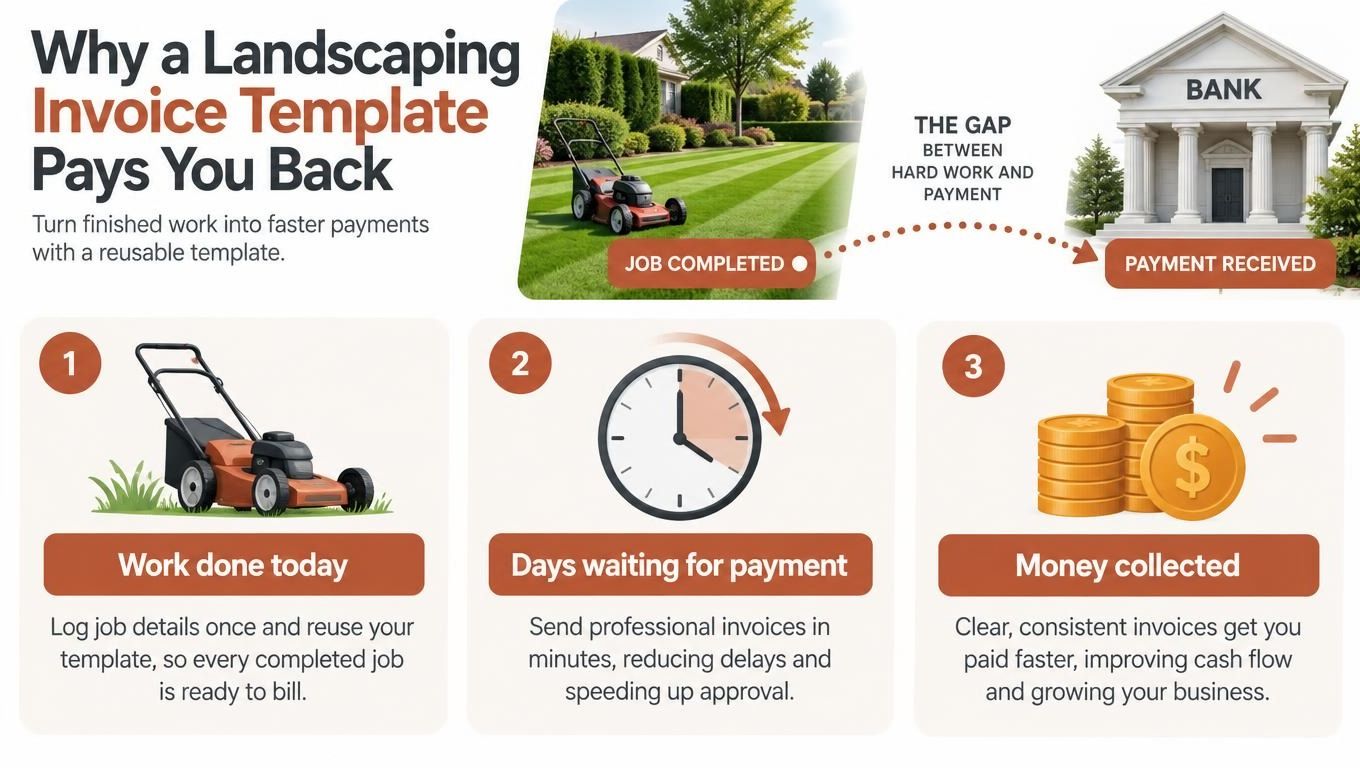
Why a Landscaping Invoice Template Pays You Back
The job is done, but the money is still sitting in someone else's hands. That gap is where a good invoice template earns its keep, because it turns finished field work into a request for payment that's hard to misunderstand and easy to file. It also gives you a consistent way to record what happened on site, which matters when a client asks why the bill changed or when you need backup at tax time.
The invoice is more than a bill
A landscaping invoice isn't just a receipt after the fact. It's a record of the property worked on, the service dates, the labor and materials used, and the payment terms attached to that work. For one-person operators, that structure helps prevent the sloppy, handwritten, “I'll send it later” routine that slows collections and creates arguments about scope.
The template also has to match the client type. A homeowner often wants a short, readable bill. A commercial client may need more detail, because the invoice has to line up with a work order, a contract period, and a payment process that involves more than one person.
Practical rule: if the invoice can't tell a stranger what was done, where it was done, and what's still owed, it isn't finished.
Why structure matters in a crowded market
The landscaping field is crowded, and many operators are small enough that every late invoice hits cash flow hard. That's why a reusable template matters most when work is recurring, seasonal, and spread across different kinds of customers. It keeps the billing process steady even when the jobs don't look alike.
A template also gives you a repeatable standard. That means the same fields show up every time, the same line items appear in the same place, and the same payment language follows the work. The result is less retyping, fewer missed charges, and a cleaner handoff from the field to the office.
The Essential Fields Every Landscaping Invoice Needs
Start with your own identity, then make the customer and property impossible to confuse. Put your business name, contact details, and any required license or trade number at the top, then separate the billing address from the service address. In landscaping, those are often not the same, and mixing them up creates mail delays and payment disputes.
Next comes the invoice spine. Use a unique invoice number, an issue date, and a reference back to the estimate, contract, or work order. That link matters because it ties the invoice to the approved scope instead of leaving the customer to guess what got billed.
Then build the line-item section so it reads like work, not a vague summary. List each service or material with a clear description, quantity, unit, unit price, and line total. If the work repeats, add the service period or frequency so one visit doesn't get mistaken for a month of visits.
The five fields that cause the most disputes are service date, service address, quantity with units, tax treatment, and balance after deposit.
After the line items, show the math in a way that's easy to audit. Include subtotal, tax, deposits, credits, and the balance due. Then add the due date and the payment methods you accept, because a customer can't pay quickly if they have to hunt for the terms.
Keep a notes block for anything that protects you later, such as warranty language, access notes, or a reminder that the invoice reflects approved change orders. For a simple solo setup, this is the point where a template stops being a blank form and starts being a record you can rely on. If you want a general contractor-style starting point, this individual contractor invoice template guide is a useful nearby reference.
How to Structure Line Items for Mixed Landscaping Jobs
A clean invoice still fails if it cannot answer a hard question from a customer or an accountant. Mixed jobs in the field really happen that way, with a mow, a mulch drop, and an irrigation repair all on the same ticket. The invoice has to reflect that mix instead of flattening everything into one neat line.
Break work into what was actually supplied
Separate labor, materials, equipment, and disposal when those pieces affect price or tax treatment. For mowing, a line like “Crew labor, 2 hours x rate” tells the story. For mulch, a line like “Mulch, 3 cubic yards x unit price” shows quantity and unit. For plants, list count and unit price. For hauling, show the dump fee instead of hiding it inside a larger total.
A vague line such as “landscaping work” looks tidy, but it leaves you weak on substantiation. The IRS says invoices and receipts are supporting documents, and records need to stay complete, accurate, and accessible, so the invoice should show enough detail to explain what was sold and when (IRS recordkeeping guidance).
Match the line to the job type
The structure changes with the job.
- Weekly mow visits: use one recurring service line with the visit date or billing period, not a lump sum with no date.
- One-time cleanups: separate labor from haul-away if the disposal fee is real and customer-visible.
- Mulching and planting: list materials by unit, then add labor separately if you installed them.
- Irrigation repairs: split parts from labor so the repair is readable and easier to defend.
- Pass-through materials: keep the receipt-friendly items in their own line so you can tie costs back to what was purchased.
If you are pricing parts for outdoor projects, a supplier page such as decking and railing materials can be a useful model for how material categories are organized, even when your own job is more about plants, stone, or irrigation.
The trade-off is simple. A one-line invoice is faster to write, but a detailed invoice is easier to collect on, easier to defend, and easier to match to your records. Where state rules require it, keep labor and materials separate so the tax treatment does not rest on guesswork.
Choosing Between Word, Google Sheets, and Invoicing Software
A lot of lawn and garden professionals start with the tool they already know, and that's usually fine until the same invoice gets reused twenty times in one season. Word gives you a printable form you can control from top to bottom. Google Sheets gives you formulas and a little more structure. Dedicated invoicing software adds payment links, reminders, and a clean record tied to each client.
What each format does well
| Format | Setup cost | Field trip to payment | Recurring billing | Overdue reminders |
|---|---|---|---|---|
| Word | Low | Longer, because everything is manual | No | No |
| Google Sheets | Low | Medium, because totals can automate | Limited | No |
| Invoicing software | Higher, but still practical for solo use | Shorter, because sending and paying happen in one flow | Yes | Yes |
Word is fine if you want a simple document you can print or export. Google Sheets is better when you want totals and taxes to calculate for you on a phone in the truck. Software fits the operator who wants to invoice the same clients again and again without rebuilding reminders, status updates, and payment links every time.
If you want a broader look at estimate-to-invoice flow, this estimate and invoice software guide is worth comparing against your current process. For teams that also want light client management, this guide to CRM for local shops is a useful reminder that not every workflow needs a full accounting suite.
Choose based on workload, not taste
If you handle a few jobs a month, Word or Sheets may be enough. If you bill recurring maintenance, send deposits, or chase late payments often, software starts to earn its place because it cuts the back-and-forth after the work is done. The right choice is the one that matches how often you bill, how often you repeat clients, and how much follow-up you're willing to do yourself.
Handling Deposits, Change Orders, and Tax on Installation Jobs
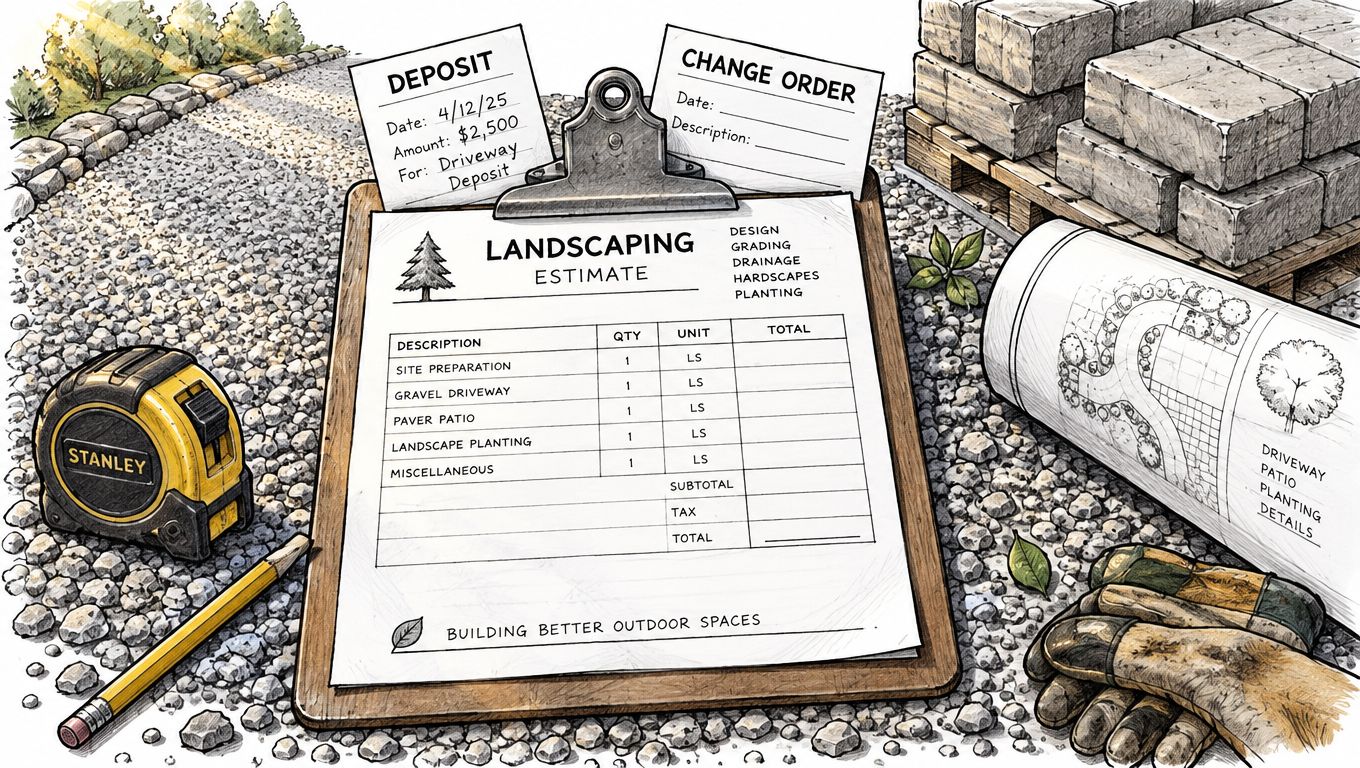
Installation jobs get messy fast because money, materials, and scope all move before the final bill goes out. The safest setup is to treat the deposit as a credit against the finished job, not as income that disappears from the record. That keeps the customer's payments visible and makes the balance easier to defend if there is a dispute.
Keep the original scope and the change order side by side
If the customer approves extra mulch, a larger plant set, or an added cleanup, keep it separate from the original quote. Show the approved change order as its own line or section, then update the total with the revised items. That way, when someone later says, “That wasn't in the quote,” the paper trail is already there.
A deposit line should sit above the balance due and read like a credit applied to the job. If the customer paid before materials were ordered, that money needs to stay visible so nobody is trying to rebuild the final amount from memory. I've found that invoices get far stronger when the money trail is obvious at a glance.
Tax treatment should follow the evidence, not the shortcut
Mixed jobs get tangled when labor and materials are folded into one clean-looking line. In some states, labor and materials are treated differently for tax, and California can treat the full amount as taxable when they are not separately stated, so the invoice should preserve the split where the rules call for it (FreshBooks invoice guidance for outdoor services). The point is not to memorize every state rule. It is to document the pieces clearly enough that the tax treatment can be defended if anyone checks the file.
Commercial and subcontracted jobs may need extra fields such as retainage, lien waivers, or purchase-order references. Keep those in reserve for the jobs that call for them. On routine residential installs, the cleaner move is still the same. Show the scope, show the deposit, show the balance, and keep the evidence tied to the invoice.
If you invoice from a signed estimate, this invoice for deposit guide helps keep the deposit credit, final balance, and approval trail in one record.
Delivery, Payment Terms, and Follow-Up That Shorten Time to Paid
Send the invoice the same day the job wraps. That habit matters because the work is still fresh, the quantities are still clear, and the customer hasn't had time to forget what got done. A specific due date works better than vague wording, especially on small residential jobs where the customer just wants to know when payment is expected.
Make payment easy in both directions
Give the customer an online payment option and a manual route. Some people will pay by link or QR code right away. Others still want a check, ACH, or cash option, and you should not force them into a channel they won't use.
The reminder pattern should stay polite but firm. Send one reminder before the due date, one the day after, and a final notice after that if needed. That's not about pressure, it's about making the bill visible before it drifts into the unpaid pile.
A late invoice is harder to collect than a clear invoice sent on time.
Keep the status visible
Once money lands, mark the invoice as paid. If part of the bill is covered and the rest is still open, mark it partially paid. If there's a dispute, flag it immediately so the next job starts clean and nobody confuses that balance with a new one.
The 2025 Outdoor Design Industry Report found that 72% of surveyed outdoor designers used invoicing software, most had same-day invoicing systems, and 71% reported collecting customer payments within their stated invoice terms (2025 Landscape Industry Report). Those numbers line up with what works in the field, bill fast, show the due date, and make payment simple. If you want to move a PDF estimate into a client-friendly send flow, this guide to sharing a PDF proposal is a solid reference point.
Solo Operator Habits and Quick Answers
One master template is enough. Reuse short job codes for common work, like mow, clean, mulch, or trim, so you aren't rewriting the same descriptions all season. Take before-and-after photos on bigger jobs, then store the signed estimate, invoice, and payment record in the same client folder so tax prep doesn't turn into a paper hunt.
A few habits pay off fast:
- Keep one master file: don't rebuild the invoice from scratch for every customer.
- Use consistent job names: the same shorthand makes records easier to search later.
- Attach proof when it matters: photos, receipts, and signed approvals help settle questions.
- File by client, not by mood: when records live together, year-end work gets easier.
How much deposit should I ask for on an install? Enough to cover the upfront exposure on the job, especially when materials are expensive or special-order. Put the deposit in writing and show it as a credit on the final invoice.
Should recurring mowing be taxed? That depends on your jurisdiction and how local rules treat the service. Keep the service and materials split clean so the right treatment can be applied.
How long should I keep invoices? Keep them with your income and expense records for as long as your tax and recordkeeping rules require, and store them where you can retrieve them later.
If you're ready to tighten up billing before the next cut or install, build one reusable invoice that separates labor, materials, deposits, and balance due, then test it on your next three jobs. A cleaner template today usually means fewer payment calls next week, and that's money you feel in the truck, not just on paper.