
Invoice software for contractors isn't mainly about making a nicer PDF. It's about shortening the distance between completed work and cleared funds. In contractor invoice data, invoices with an online payment link were paid 79.6% of the time, compared with 56.1% without one, and the median payment time was 8 days instead of 15 (contractor invoice payment data). That difference changes whether you're funding materials from cash on hand or waiting on a client while the next job starts.
The right buying question is therefore simple: does this software move a job from estimate to deposit to progress billing to final payment without forcing you to retype, chase, or reconcile by hand? Template design matters, but cash-flow control matters more.
Why Contractor Invoicing Is a Cash-Flow Problem First
Contractor cash flow can tighten before a client ever sees an invoice. Materials may need payment before the first draw, subcontractors may expect payment before a milestone is approved, and fuel, equipment, insurance, and taxes continue consuming cash while completed work remains unpaid.
The exposure is the gap between spending and collection. A delayed deposit can force a solo tradesperson to use personal funds or postpone a supplier payment. A late progress invoice can leave money tied up in labor and materials already installed. A final invoice sent after the job has faded from the client's attention gives the customer another reason to delay approval.
That is a financing problem, not an administrative nuisance. The right software should reduce the time between an approved estimate, each billable stage, and money deposited in the business account.
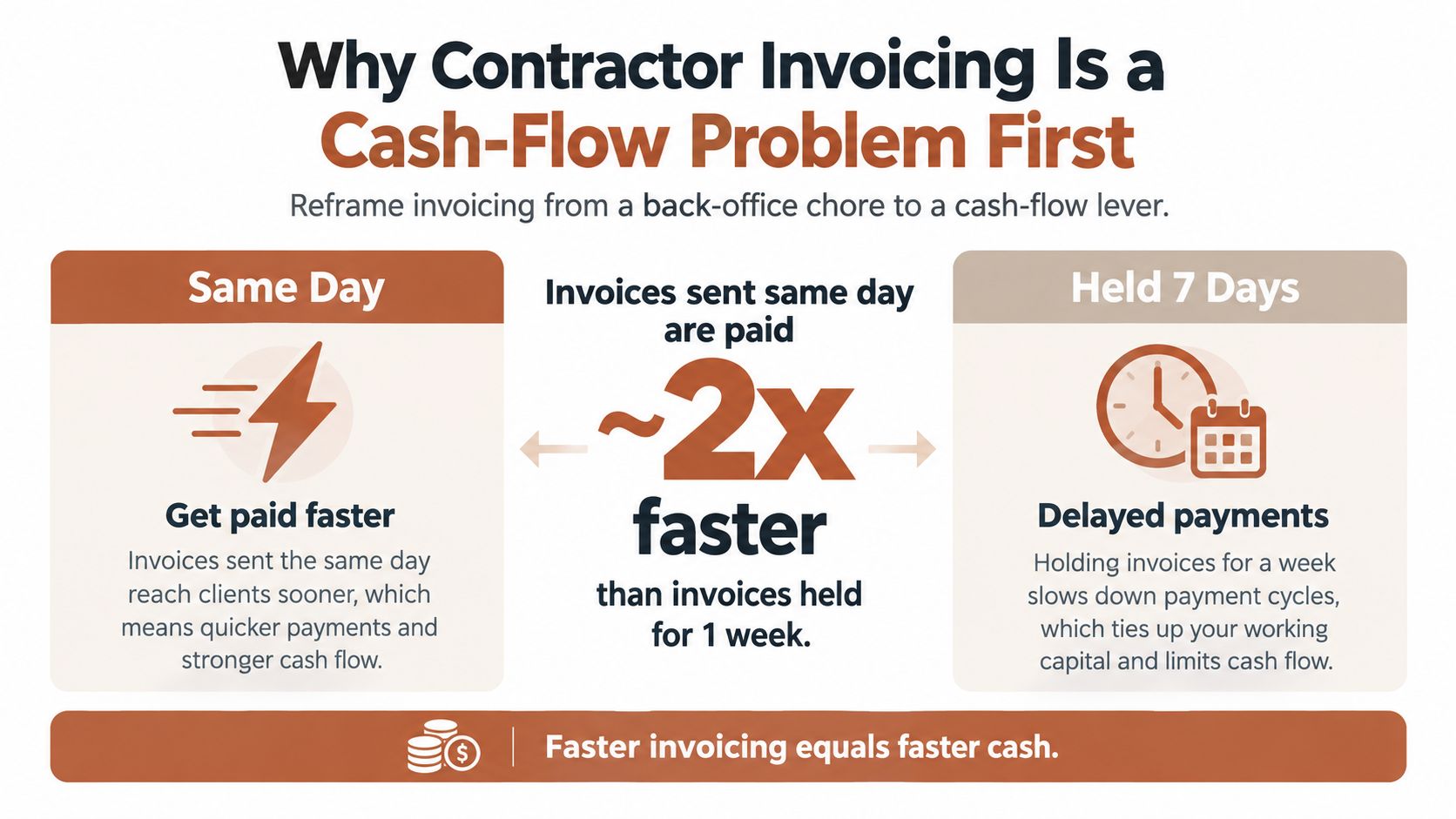
Send the invoice while the job is still visible
Invoice timing controls attention. Send the invoice from the job site while the client can still see the completed work, and the amount and scope connect to a recent event. Wait several days, and the client may need to search messages, confirm completion, or find another person to approve it.
Software earns its place in a contractor's workflow when it can:
- Convert immediately: Turn an accepted estimate into an invoice without re-entering line items.
- Collect deposits: Request an upfront payment before materials and labor consume working cash.
- Offer a direct payment path: Put card or ACH options on the invoice itself.
- Automate follow-up: Send reminders before and after the due date.
- Preserve the record: Keep the estimate, invoice, payment, and client communication connected.
- Track the balance: Show deposits received, progress invoices issued, and the amount still due.
The broader billing market is shifting toward electronic invoicing, yet many businesses still rely on PDFs, email threads, spreadsheets, and manual payment entry. The 2026 Billentis report estimates at least 600 billion invoices annually worldwide, including roughly 300 billion B2B invoices, while only about 29% of B2B invoices are electronic (Billentis 2026 findings). Contractors should treat that gap as a warning: a digital invoice alone does not improve cash flow if deposits, stage billing, payment collection, and reconciliation remain disconnected.
Practical rule: Rate invoice software by how well it moves a job from estimate to deposit to progress invoice to final payment, then measure days-to-cash and reconciliation effort. A polished template is secondary.
The Contractor Billing Workflow From Quote to Final Payment
A contractor billing system should mirror the job, not impose an office-based accounting workflow on it. The clean sequence has four stages.
Estimate or quote
Start with a detailed estimate that separates labor, materials, subcontracted work, allowances, and exclusions. The client should be able to approve the scope clearly, ideally through a browser-based approval or signature flow. Your terms should define what triggers billing, how changes are handled, and when payment is due. A practical reference for wording is this guide to estimate terms and conditions.
The important test is whether an approved estimate becomes the source record for billing. If you must copy every line into a new invoice, errors are waiting to happen.
Deposit request
The deposit should be generated from the approved scope, not typed from memory. The software should show what the deposit covers, record the amount received, and apply it against the remaining contract balance. That prevents the common mistake of sending a final invoice that ignores money already collected.
A fast response process also matters before the job is won. Contractors improving lead handling can use this practical speed-to-lead playbook to reduce the delay between an inquiry, a quote, and a signed project.
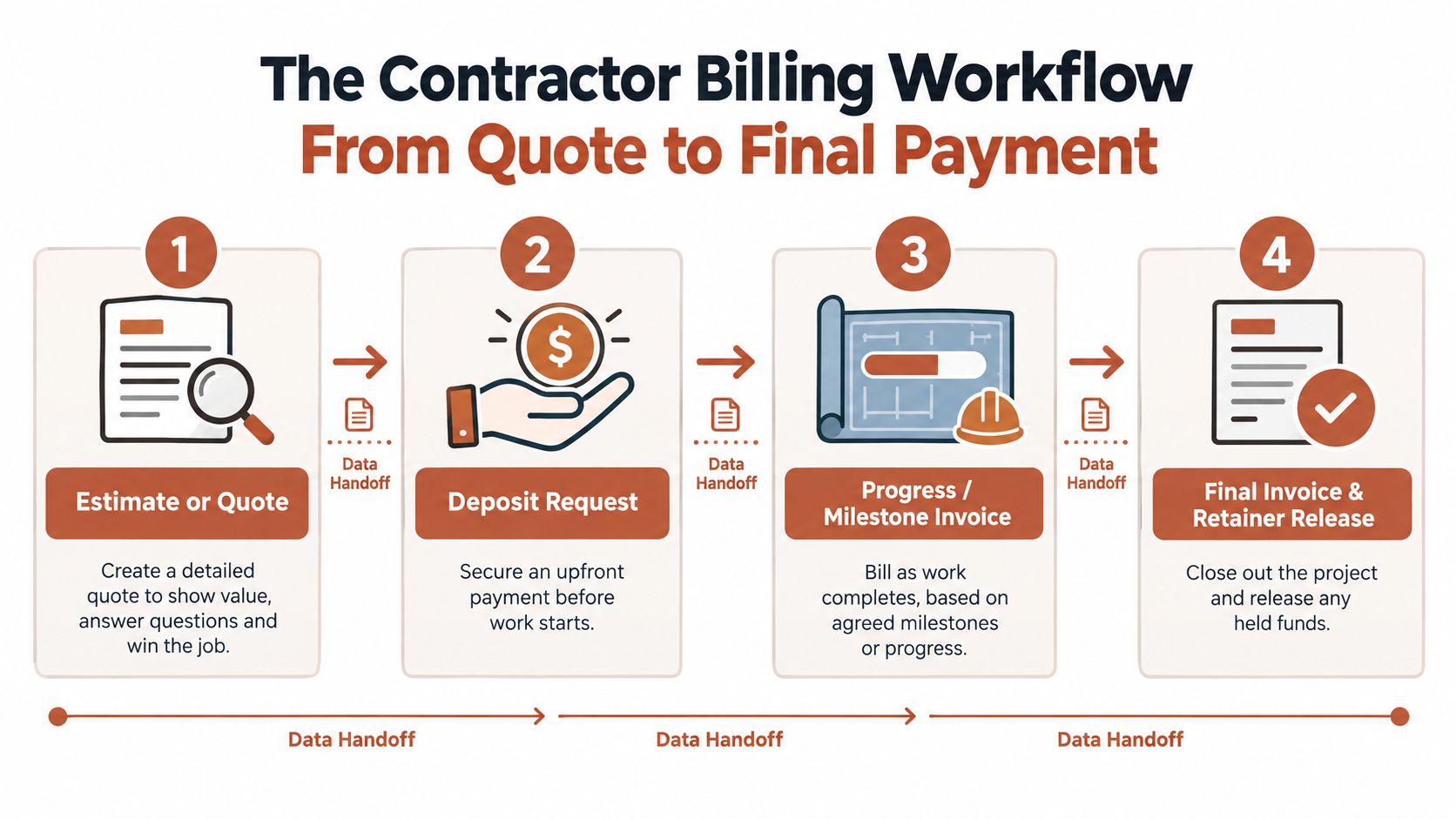
Progress or milestone invoice
Longer work should generate invoices when measurable work is completed, not only when the entire project ends. A good system carries the original scope forward, shows previous billing, records approved change orders, and identifies the current amount due.
Watch the handoff. The software should preserve the job address, client details, line items, payment terms, deposit history, and attachments from one stage to the next.
Final invoice and retained balance
The final invoice closes the project. It should show the contract value, approved changes, deposits, progress payments, outstanding retainage, credits, and the final balance. If the tool can't distinguish a retained amount from an unpaid invoice balance, your reports will misstate what the client owes and what the job has earned.
Workflow continuity beats feature count. A modest tool that carries clean data through all four stages is more valuable than a large platform that still makes you rebuild invoices manually.
Features That Actually Move Payment Speed
A faster invoice is usually the result of fewer decisions and fewer manual steps. Judge software by how well it carries a job from approved estimate to deposit, progress billing, and final payment, not by how many templates it displays.
Put a payment link on every invoice. Clients should not need to copy bank details, search for a portal, or ask which payment method you accept. Earlier findings showed that invoices with a payment link were paid more often and reached payment faster. The practical test is simple: can the client open the invoice and pay immediately? Review how online payments for contractors fit your billing workflow before choosing a platform.
Rank features by behavior change
| Feature | Typical impact | Best for |
|---|---|---|
| Estimate-to-invoice conversion | Removes duplicate entry and gets the bill out immediately | Every solo contractor |
| Payment links for ACH and cards | Reduces checkout steps at the point of payment | Contractors with consumer or small-business clients |
| Deposit requests | Brings cash in before materials and labor create pressure | Remodelers, installers, and project-based services |
| Scheduled reminders | Reduces reliance on memory and manual chasing | Solo operators managing several open jobs |
| Partial-payment recording | Keeps balances accurate after deposits, draws, or split payments | Contractors using milestone billing |
| Client payment history | Shows disputes, delays, and prior payment behavior | Small teams and repeat-client businesses |
| Mobile attachments | Connects completion photos, receipts, and approvals to the invoice | Field-based trades |
Estimate conversion, deposit requests, payment links, reminders, and mobile access should come first for a one-person business. These features move the job from approved scope to collectible cash without rebuilding the invoice at each stage.
Reminder automation must understand invoice status. It should stop sending collection notices after payment is recorded and log every message against the invoice. Independent guidance recommends a staged cadence, including a pre-due reminder, a due-date notice, and later overdue follow-ups (automated invoicing guidance).
Use automated reminders as a workflow control, not a promise of faster payment for every client. Industry guidance reports shorter payment delays and fewer late payments after automation, but those results should be tested against your own customers and billing terms (automatic payment reminder guidance).
A small project team may also need job-level reporting, permissions, change-order controls, and a dependable export for the accountant. Skip dashboards that do not improve estimate conversion, deposit collection, progress billing, or final reconciliation. A modest tool with accurate handoffs will outperform a larger system that still forces manual invoice rebuilding.
Progress Invoices, Deposits, and Retainers Explained
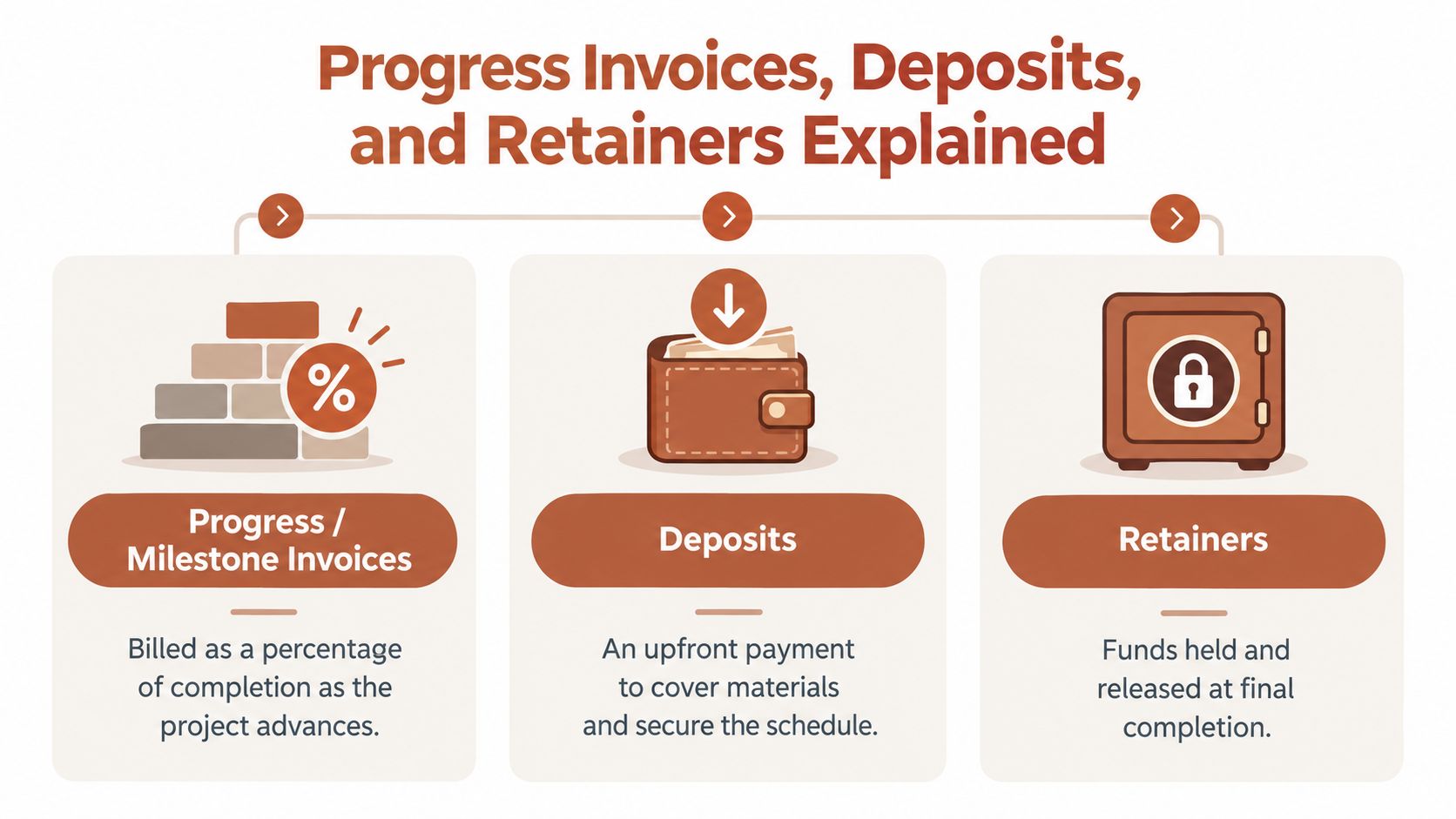
These three terms describe different cash-flow mechanics, and software that treats them as interchangeable will create bad records.
Progress invoices
A progress invoice bills for work completed against an agreed scope. You might invoice by percentage of completion, by scheduled value, or when a defined milestone is approved. The point is to connect the amount due to visible progress rather than waiting for a final handoff.
Suppose a remodel has a contract value of $50,000. A workable three-stage structure could be:
- Deposit: $15,000 when the estimate is approved and the project is scheduled.
- Progress invoice: $20,000 after demolition, rough work, and the agreed mid-project milestone.
- Final invoice: $15,000 after completion, inspection, and correction of punch-list items.
The software should display the original contract amount, each invoice, every payment, and the remaining balance. If a change order is approved, it should be added to the job record and reflected in the remaining billing plan.
Deposits
A deposit can cover mobilization, materials, scheduling, or the client's commitment to the work. State its purpose in the estimate or contract. Avoid presenting a large upfront request as an unexplained demand, because clients are more likely to challenge a charge they can't connect to a project need.
The right deposit amount depends on material exposure, lead time, project risk, and your contract terms. Use this guide on how much deposit contractors should ask for as a starting point, then align the request with your actual costs and local requirements.
Retainage and retained balances
Retainage is money withheld until the client confirms completion or resolves outstanding obligations. The software should track it as a separate line or ledger balance, not bury it inside an overdue total. Otherwise, you may chase a client for money that isn't contractually due yet.
For the remodel example, if the contract withheld a retained balance from progress billing, the final record should show exactly what was held, what condition releases it, and when the amount becomes payable. That visibility protects both sides and keeps revenue reports from double-counting the same work.
Standalone Tools vs Full Construction Billing Systems
The market uses one label, “contractor invoicing,” for two very different products.
Standalone tools such as FreshBooks, Wave, HoneyBook, and Invoice Ninja suit contractors who need estimates, invoices, online payments, reminders, and basic expense records without running a construction office. They can be quick to configure and easier to use from a phone. Their limitations usually appear around detailed job costing, formal construction billing documents, compliance packages, and complex retainage.
Full construction systems such as Buildertrend, CoConstruct, Foundation, and Procore are built for deeper project administration. They may support schedule-of-values workflows, change orders, lien documentation, retainage, subcontractor coordination, and broader project reporting. That power comes with setup demands and a higher risk of paying for functions a solo operator never uses.
| Dimension | Standalone invoicing, such as FreshBooks or Wave | Construction billing system, such as Buildertrend or Foundation |
|---|---|---|
| Setup time | Fast, task-focused configuration | Longer implementation and process design |
| Monthly cost | Lower-cost plans aimed at solo businesses | Higher pricing for project and team administration |
| Payment-fee economics | Often clear, but payment processing terms need review | May involve several billing and payment components |
| Reporting depth | Client, invoice, payment, and basic expense visibility | Job cost, schedule, subcontractor, change-order, and compliance reporting |
| Audit readiness | Suitable when records export cleanly and books are maintained | Stronger project documentation when configured correctly |
Don't buy a construction platform merely because your work involves construction. Buy it when your contracts, documentation, crew, subcontractors, or general-contractor relationships require that depth.
A solo operator usually needs a reliable revenue cycle before needing a full construction operating system.
A standalone option can work well for a one-person service business that needs estimates, contracts, deposits, invoices, payments, and exports in one place. AurenWell is one example of that lane, with estimates that convert to invoices, online payment collection, manual payment recording, reminders, and document exports. If your needs have expanded into payroll and detailed job costing, review tools that help manage job costs and payroll before selecting the next system.
A Short Buying Checklist for Solo Contractors
Run every demo against a real job. Don't let a polished presentation replace a practical test.
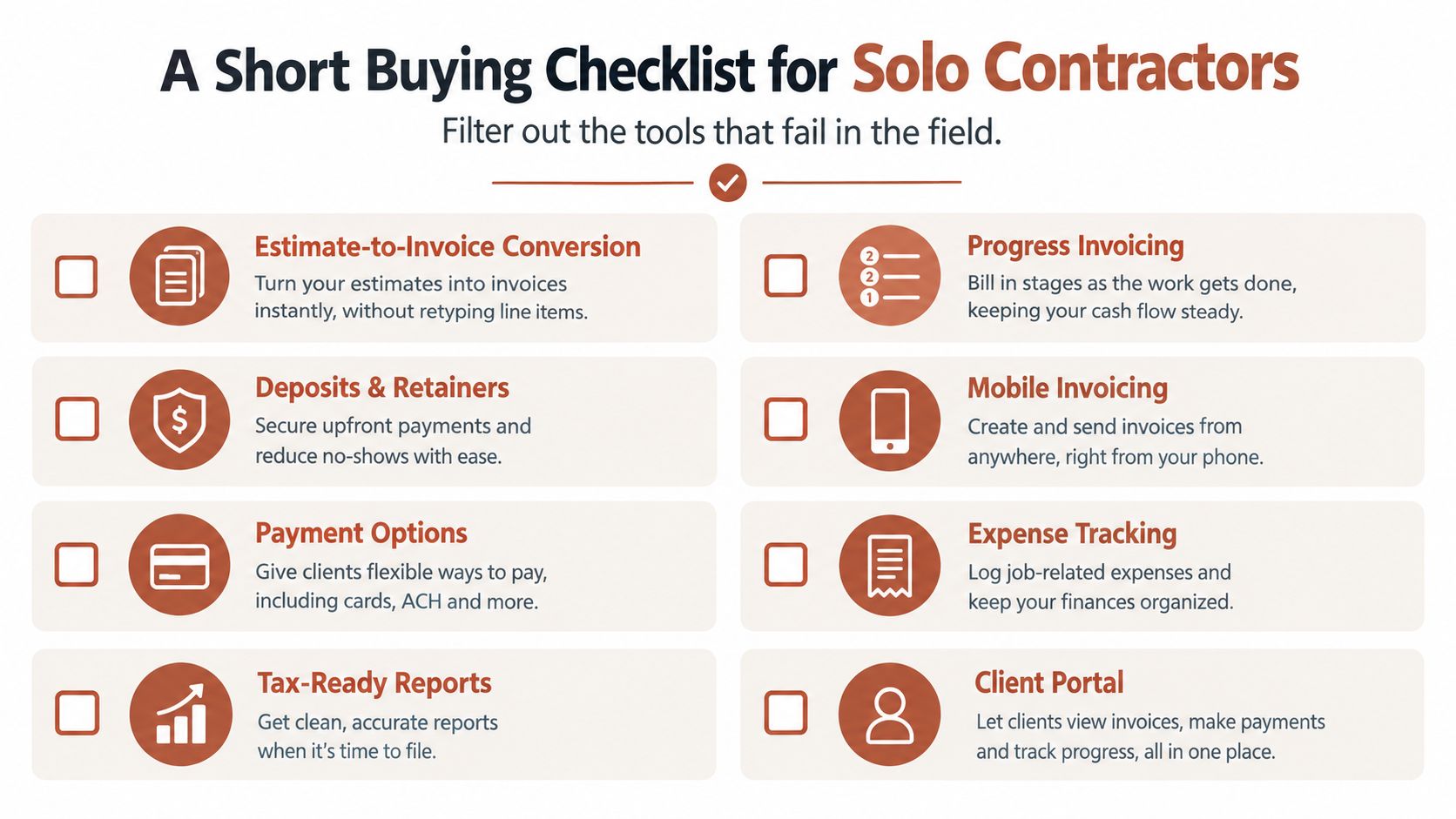
Eight must-haves
- Estimate conversion: Convert an approved estimate into an invoice without retyping line items.
- Partial payments: Accept deposits and split payments, then issue receipts automatically.
- Milestone scheduling: Schedule recurring or progress invoices against job dates or completion events.
- Separate retainage: Track retained balances independently from ordinary unpaid invoices.
- Deposit triggers: Request a deposit as soon as the client approves the estimate.
- Payment choices: Offer ACH and card payment options, with total processing costs that fit your margin.
- Mobile evidence: Attach completion photos, signed approvals, receipts, or notes from the field.
- Accountant export: Export clean invoice, payment, client, and expense records at year-end.
Test the workflow with a completed estimate, not a blank sample. Ask the vendor to show the exact screen where a deposit is applied, a partial payment is recorded, a reminder is stopped after payment, and a change order modifies the balance.
Three reasons to walk away
Per-invoice charges on top of the subscription can punish contractors whose volume grows. A low monthly price isn't low if every additional bill adds another charge.
No client portal or browser payment experience leaves you dependent on email PDFs and scattered confirmations. The client should be able to view the invoice, understand the balance, and pay without a support conversation.
Deposits locked behind a higher tier signal that the product isn't designed around contractor cash flow. Don't accept a quote-only plan when deposits are central to your work.
Your invoice volume and job complexity should set the ceiling. If you send fewer than 20 invoices per month and bill under $300,000 annually, the brief's recommended $15 to $30 monthly tier is the practical ceiling. Paying beyond that is overbuying unless the extra cost replaces a real administrative or compliance burden.
Choosing Your Next Step Without Overbuying
Choose one active project and test the workflow from estimate approval through payment recording. A blank demo hides the retyping, missing job context, and awkward handoffs that slow collections. The software must preserve the same job record as the work moves through each billing event.
Ask these six questions during the demo:
- Can a partial payment be tied to a specific milestone?
- Can you issue a deposit invoice before the parent estimate is approved?
- Does retainage remain visible when a change order is added?
- What happens to aged receivables when the contract closes?
- Can the accountant export the full payment history without manual cleanup?
- Does the reminder sequence stop automatically after payment?
Require the vendor to show each answer on a completed estimate, not a sample screen. Pay attention to the exact steps for applying a deposit, recording a partial payment, stopping a reminder after payment, and updating the balance after a change order.
Then run a two-week trial on one active job. Convert its estimate into a deposit request, issue a progress invoice, attach a payment link, record any manual payment, and review the client history. Track how long each step takes and compare the result with your current process. Keep the tool only if it reduces administrative work or helps cash arrive sooner.
Reject the product if it loses job context or makes you retype information. Trial another option before signing an annual contract. The right choice is the one that handles your real billing path cleanly, without charging you for complexity your operation will not use.