
You finish the call, wipe your hands, and the customer says, “Just email me the invoice.” That sounds simple until the file gets buried in a thread, the serial number isn't on it, the refrigerant work is unclear, and the payment comes in late, if it comes in at all. The fix isn't a prettier bill, it's an HVAC invoice template that behaves like a job record, a warranty file, and a collection tool in one.
Why HVAC Invoices Need More Than a Number and a Date
The worst invoices usually look fine at the kitchen table and fail later in the office. A handwritten note gets photographed, the email attachment is missing a part description, or the customer calls back because the scope on paper doesn't match what got installed. On a trade where contractors generated about $90.3 billion in revenue in 2018 and were projected to reach $123.2 billion in 2023, with establishments rising from 119,635 to 146,075, the work is big, fragmented, and easy to lose track of if the paperwork is sloppy (BBB HVAC industry report).
What goes wrong when the invoice is generic
A generic service invoice asks for a payment and says very little about the job. That works until a homeowner says the repair was supposed to include a part, a warranty claim needs the model and serial number, or a deposit dispute turns into a memory contest. For a one-person operator, that missing paper trail can cost more than the job margin.
Practical rule: If you wouldn't want to defend the job from the invoice alone, the template isn't finished.
The invoice should show what was authorized, what was touched, what was replaced, and what was billed. That matters even more in HVAC because the job often mixes labor, parts, refrigerant, diagnostics, and equipment handling in one visit. The template has to separate those pieces cleanly or the customer can't tell whether they paid for diagnosis, repair, maintenance, or a full replacement.
Why the record matters after the truck leaves
A solid invoice protects collections, but it also protects future work. When a repair later becomes a warranty question, a customer-service issue, or a payment dispute, the invoice becomes the first document everyone asks for. A good HVAC invoice template gives you a written record that ties the job notes to the money owed, instead of leaving you to reconstruct the visit from memory.
That's the difference between a receipt and a defensible record. One confirms payment. The other proves what happened on the job.
The Core Fields Every HVAC Invoice Template Must Carry
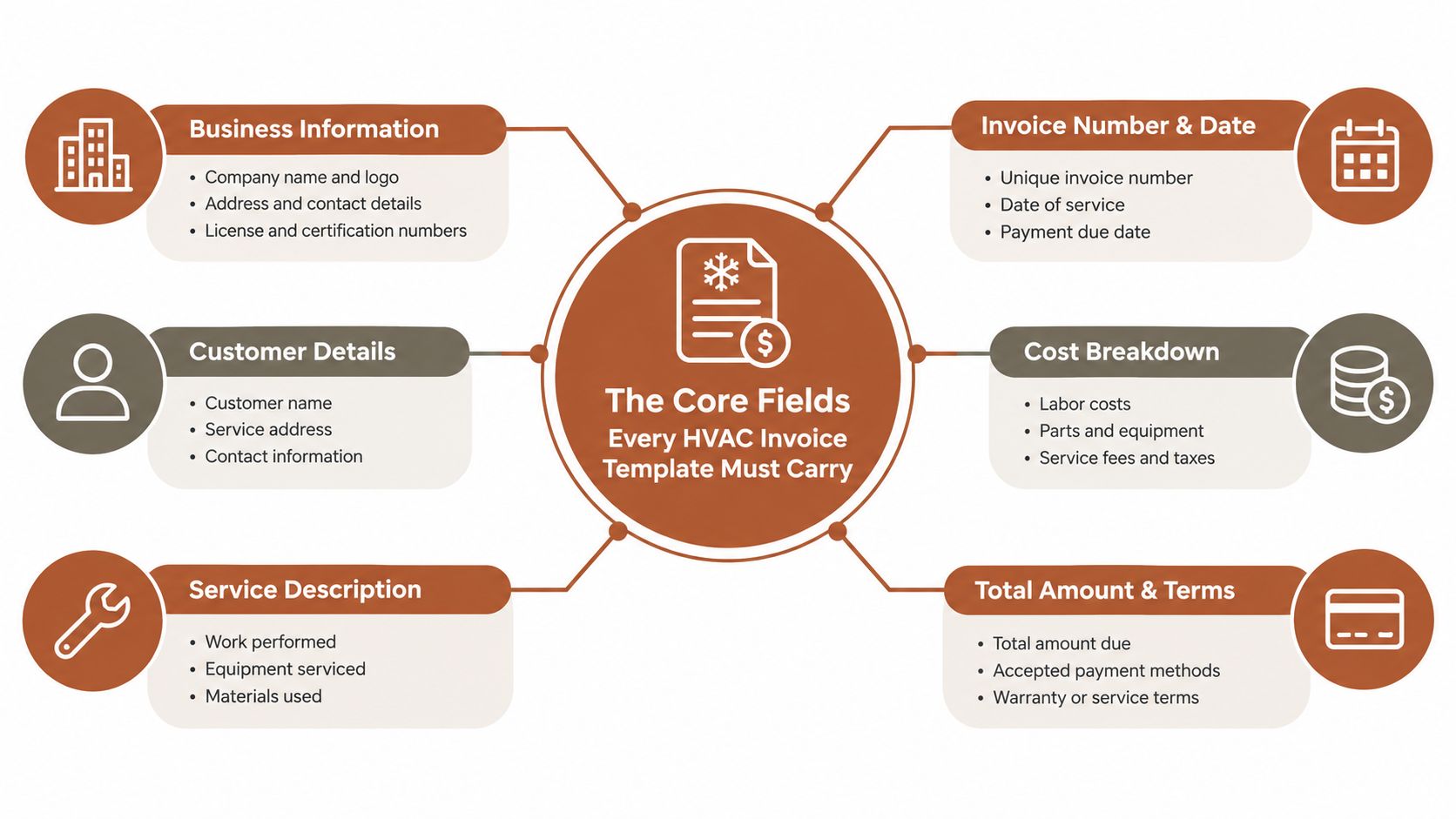
Start with the header and work downward. A technically complete invoice should begin with a unique sequential invoice number and issue date, then the legal business name, address, contact details, and any applicable contractor-license information. If you want a clean overview of basic invoice form handling, the invoice form instructions resource from Resolut is a useful reference point, especially if you're adapting a general form into trade-specific billing.
Fill the job identity first
Separate the customer billing details from the service address. Those can be the same on a small residential job, but they shouldn't be merged into one field because billing and job-site records often need to be pulled apart later. After that, record the service date, the equipment manufacturer, model, serial number, diagnosis, and the remedy.
The equipment block is not decoration. It's the anchor that connects the invoice to the actual system on site.
Build the money section in the same order every time
List labor as either hours multiplied by rate or a clear flat-rate task. Then itemize each part with a description, quantity, unit price, and, when it helps, the part number. Show trip fees or diagnostic fees separately instead of burying them inside labor. Finish with subtotal, taxable amount, tax, credits, and balance due.
A clean structure also makes it easier to move from a blank template to a repeatable system. If you're comparing formats, the layout in this individual contractor invoice template shows how a solo operator can keep documents lean without losing the fields that matter.
Practical rule: If a field helps prove scope, support a warranty, or explain the total, it earns a place on the invoice.
Use this sequence when you fill it out
- Invoice identity. Number, issue date, customer name.
- Business details. Legal name, address, phone, email, license.
- Service location. Keep the job-site address separate.
- Equipment block. Manufacturer, model, serial number, diagnosis, remedy.
- Line items. Labor, parts, diagnostic fee, trip fee.
- Totals. Subtotal, tax, deposit, balance due.
That order keeps the document auditable and makes it easier to fill out fast without skipping a block.
Pricing Line Items That Match the Way HVAC Jobs Are Billed
HVAC invoices fail when they try to hide a complex job behind one vague line. The customer sees “service charge” and assumes everything is included. You know the work involved a diagnostic visit, a part, some labor, maybe refrigerant, and possibly a trip fee or disposal charge. If those aren't separated, the invoice invites questions you could've avoided.
Break the job into visible parts
A service call usually needs its own diagnostic line, its own labor line, and its own parts lines. Installation work often needs equipment, labor, permit-related charges, and deposits. Those jobs bill differently, and the invoice should reflect that difference instead of forcing both into the same shape.
For cash flow discipline on contractor jobs, the construction cash flow tips from Jumpstart Partners are a helpful complement to clean invoicing, because the invoice only helps if the money it requests is easy to collect and reconcile.
| Common HVAC Invoice Line Items | Example description | What to include |
|---|---|---|
| Diagnostic fee | On-site system diagnosis | Flat fee or time-based diagnostic charge, shown separately |
| Labor | Capacitor replacement | Hours or flat-rate task, with rate if used |
| Part | Capacitor, contactor, thermostat | Description, quantity, unit price, part number if useful |
| Trip fee | Service call travel charge | Keep distinct from labor so the customer sees it clearly |
| Refrigerant work | Refrigerant added or recovered | Type and quantity when applicable |
| Tax | Sales tax on taxable items | Apply only where legally taxable |
| Deposit | Down payment on replacement job | Show amount credited against the final balance |
Flat-rate and time-and-materials are not the same thing
Flat-rate pricing works cleanly when the task is known before work starts. Time-and-materials makes more sense when scope can shift, especially on a repair with hidden damage or an installation with variable conditions. The invoice should match the pricing model, not force one model to masquerade as another.
A short example makes the point. A customer should be able to see labor, a capacitor, a contactor, the diagnostic fee, and tax as separate lines without needing you to explain the bill line by line at the table. That clarity speeds up the conversation and cuts down on friction.
Compliance, Refrigerant, and Warranty Fields Most Templates Skip
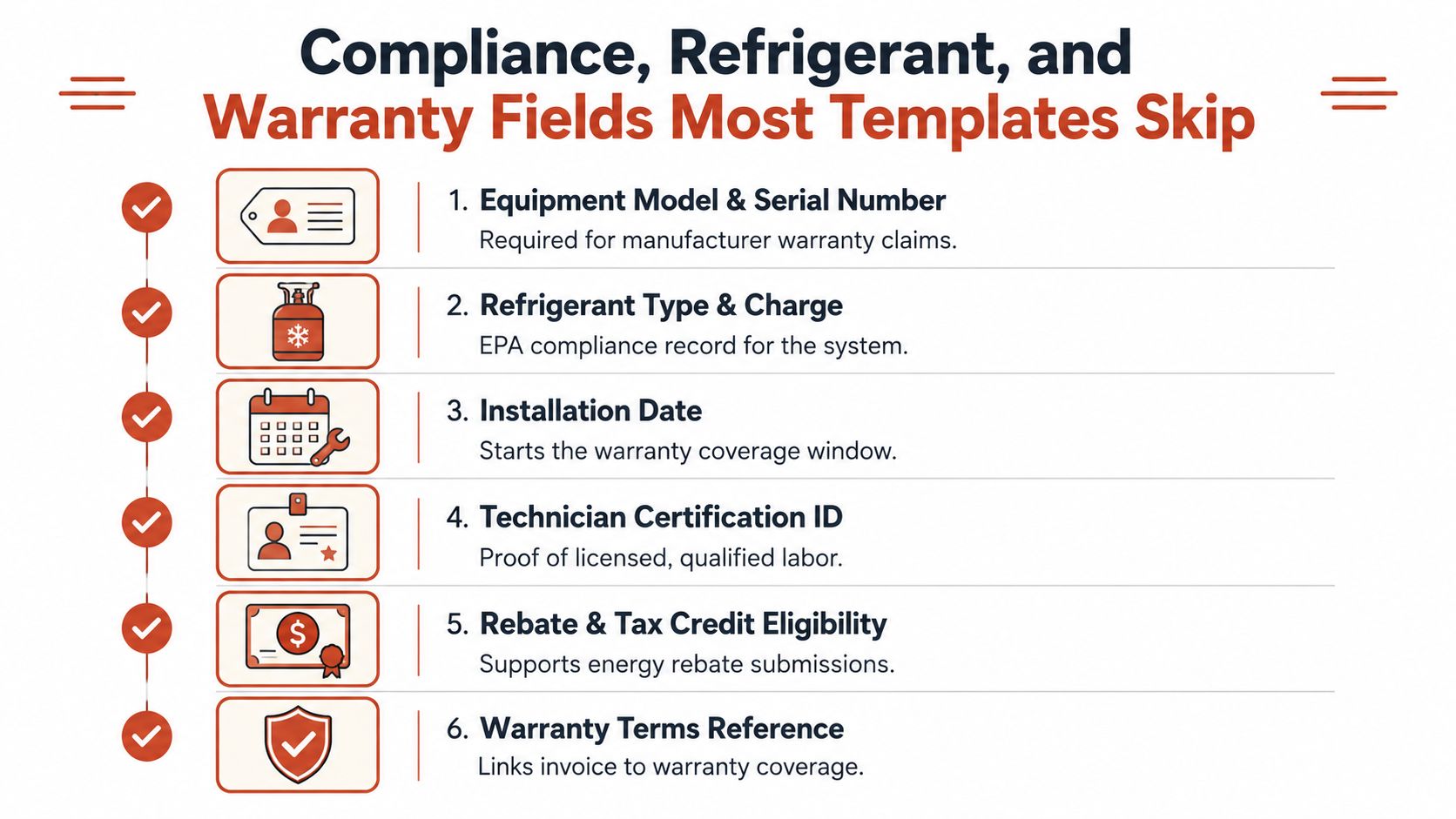
The biggest weakness in a generic invoice is that it stops at payment. HVAC work often needs a stronger paper trail, especially for warranty claims, rebate submissions, and refrigerant handling. A template that only lists labor and parts leaves out the documents that later prove the job was done correctly.
Add the fields that protect claims and coverage
Equipment model and serial number need to be visible, not tucked away in a notes field. Installation date matters because it starts the warranty coverage window. If the job is incentive-eligible, the invoice should leave room for efficiency ratings, proof of payment, and any manufacturer or program-specific documentation that supports a rebate or tax-credit claim.
Some templates try to cover every scenario with one giant form. That usually slows the solo operator down and annoys the homeowner. Conditional sections work better.
The same idea applies to warranty terms. Separate the labor warranty from the manufacturer's parts terms so there's no confusion about who covers what. If you collect deposits, record them clearly and keep proof of payment attached to the job record.
Refrigerant work needs its own block
For refrigerant-related jobs, the invoice should have a dedicated section for refrigerant type, pounds added, pounds recovered, and the annual appliance total when that record applies. EPA Section 608 is the relevant certification reference when regulated refrigerants are handled, and systems containing 15 pounds or more of refrigerant require records that are generally retained for three years and may be electronic, according to the documentation guidance in the source material (NOVO HVAC invoicing guidance). That's not just compliance paperwork, it's part of the job record.
The practical takeaway is simple. A professional HVAC invoice template should have equipment, refrigerant, warranty, and payment fields that can stand on their own if the job gets reviewed later. If the document can't support a claim, it's missing a section.
Payment Options That Actually Speed Up Collections
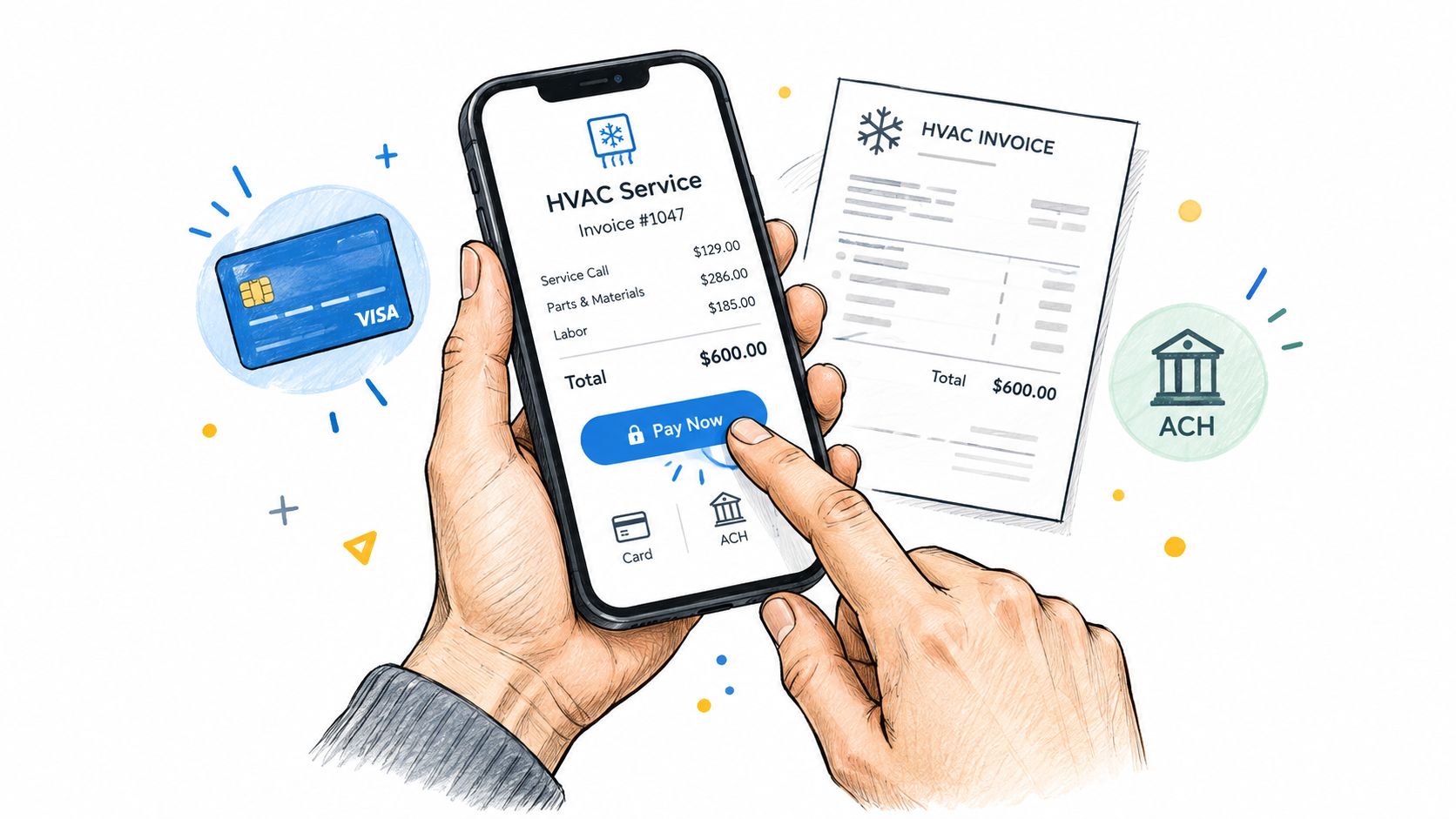
The easiest invoice to collect is the one the customer can pay without hunting through email. Put the payment block where the eye lands naturally, and make the options obvious: card, ACH, cash, check, or bank transfer. AurenWell offers online payments through Stripe with card and ACH, optional tipping on the payment page, and manual recording for cash, check, or bank transfer with no platform fee, which fits a small operator's reality without forcing every payment through the same channel (AurenWell).
Make the payment block do real work
A payment link on the PDF removes a lot of back-and-forth. A QR code does the same thing on a tablet or printed copy at the kitchen table. If the homeowner can scan and pay while you're still explaining the repair, you've shortened the gap between job completion and cash in the bank.
For a cleaner follow-up system, the how to collect payment from a customer guide shows how to structure the ask without sounding pushy. Pair that with polite reminders and you've got a process instead of a memory test.
Use reminders instead of awkward chasing
Payment reminders should be predictable, not random. A simple sequence after the due date keeps the invoice visible without making the follow-up feel personal or confrontational. The best version of this is boring, because boring gets paid.
That matters on service calls and replacement jobs alike. A homeowner is more likely to pay quickly when the invoice looks complete, the payment method is obvious, and the due date is unambiguous. A messy payment block slows everything down even when the work was done well.
Building and Customizing the Template in AurenWell
A practical build starts with the fields you already know you need. In AurenWell, the workflow centers on invoice creation, estimates, contracts, and payments, so you can carry the client record forward instead of rebuilding the paperwork every time. The invoice template page at AurenWell templates is the place to start if you want a reusable structure rather than a one-off PDF.
Set up the template once
Enter the business name, contact details, and license information first. Then set the invoice numbering sequence so every job has a unique reference. After that, add the customer billing address and the service address as separate fields, because those are not the same thing once the paperwork starts moving.
The equipment block should come next. Put in manufacturer, model, serial number, and job notes so the invoice stays tied to the actual unit. Then add labor, parts, and trip fees as separate line items instead of blending them into one service charge.
Connect the invoice to the rest of the job record
If the job began as an estimate, convert it into an invoice instead of recreating the details by hand. That keeps the approved scope attached to the same record, which is useful when a deposit was collected up front or when a signature needs to stay linked to the work. If you need a deeper guide on structured forms, the interactive PDF form tips resource from PDFWix is a practical companion for thinking through fields, tabs, and form behavior.
Practical rule: Build the template so a completed job can move from estimate to invoice without retyping the core facts.
From there, add the warranty block, refrigerant block, tax fields, and payment options. A clean template should let you email or text the invoice link right after the visit, then keep the activity history attached to the client record. That way, the PDF isn't floating alone in a folder, it's part of the job file.
A Field Checklist and the Bottom Line on the Template
Before you send the next invoice, run the same check every time. Confirm the invoice number and dates, verify the customer and service addresses, fill the equipment block, separate parts from labor, apply trip fees, calculate tax only on taxable items, capture deposits and credits, test the payment link and QR code, schedule reminders, and save the PDF with the activity history.
An HVAC invoice template pays for itself when it does three jobs at once. It gets you paid, it protects the warranty trail, and it leaves a refrigerant record or equipment record behind if someone asks for it later.
If you're still losing time to vague invoices, build one template today and use it on the very next call. The sooner the form matches the field work, the less money you leave sitting in follow-up.