
You priced the job from the driveway, the client nodded, and you still lost the evening. The scope lived in a note. The PDF came later. The invoice was a third typing of the same lines, and the deposit request was a text the client never opened.
That is the job estimating software for small contractors has to finish. Not a bid department. Not a takeoff desk. A price the client can accept, a deposit you can collect, and an invoice that does not start from a blank page.
Why Owner-Operators Need Simpler Estimating Software
For an owner-operator, every software task competes with paid work. The person pricing a repair also buys the materials, answers the customer, does the job, and collects payment. A system that needs a separate administrator puts that workload back on the owner.
Choose software you can run between jobs.
The real cost is owner time
The subscription price is only part of the bill. Setup, training, duplicate entry, and correcting mismatched records all consume hours you could spend working or getting home. A cheap estimating app becomes expensive if you need a spreadsheet beside it to track who approved what and who still owes a deposit.
Consider a solo fence-repair contractor. A customer approves the original scope, then adds another damaged panel. If that change requires editing a proposal, updating a payment request, and rebuilding an invoice separately, the owner has three chances to charge the wrong amount. One job record should carry the agreed scope and price through each step.
That continuity matters more than a long feature list.
Buy for the business you actually run
Deep takeoff tools and multi-project dashboards earn their place when someone uses them to manage real complexity. For a one-person service crew, they can add setup without removing work. Start with the route your jobs follow: estimate, approval, deposit where required, and final invoice. Pay for added complexity only when it solves a recurring problem.
The same discipline applies to marketing spend. Services focused on helping Australian trades attract local customers address customer acquisition in that market. For U.S. owner-operators, the software decision concerns what happens after an inquiry arrives: can one person carry the job through to payment without maintaining several versions of the price?
Choose the tool that leaves you with fewer records to reconcile and fewer loose ends after work. A larger suite is worth its cost only when its extra functions reduce your workload.
Must-Have Features for Field Estimates and Pricing
Judge the product by what changes before you leave the property. A professional quote sent from the truck beats a prettier proposal assembled after dinner.
What has to work from the phone
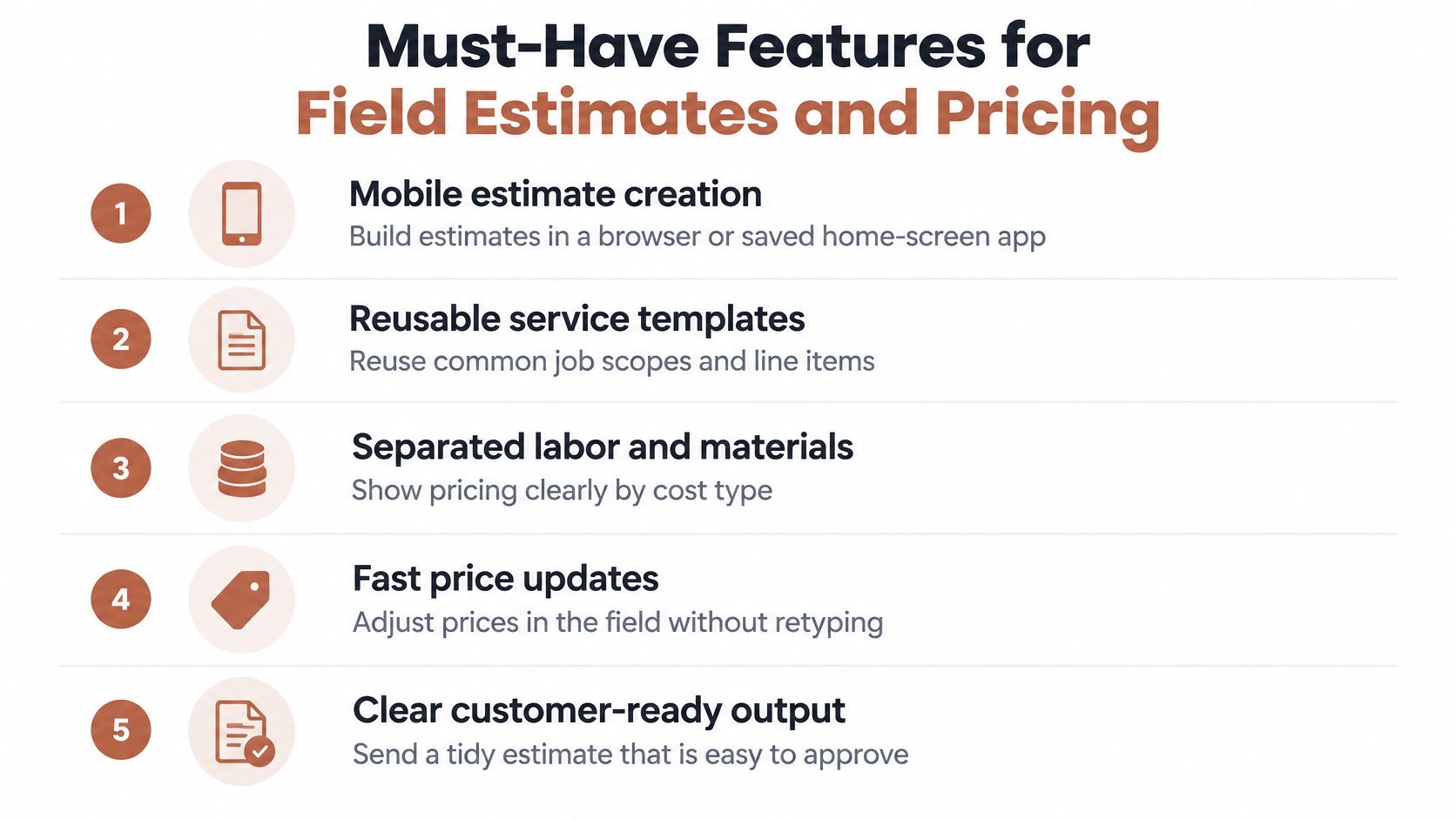
Mobile estimate creation means a browser or a saved home-screen app, not a laptop takeoff station. You should build the quote where the client is standing.
Reusable service templates carry the jobs you sell every week, so a standard wash, mow, or repair is not rewritten from memory.
Separated labor and materials keeps the price honest. The client sees what the work costs and what the parts cost, and you can change one without breaking the other.
Markup, tax, allowances, exclusions, and optional lines belong on that same screen. Allowances cover what you have not measured yet. Exclusions stop the "I thought that was included" argument. Optional lines let the client add a second area without a new document.
Then the handoff:
- Browser approval: The client opens a link. No account, no app install.
- E-signature: Acceptance is a record, not a thumbs-up text.
- Optional deposit: The yes can include money before you book the day.
- One-click invoice: Accepted lines become the bill. Nothing is retyped.
Terms should travel with the price. A short set of estimate terms and conditions stops scope arguments that spreadsheets leave in the margin.
What you can skip at first
Dispatch, payroll, CRM pipelines, and double-entry accounting do not get this quote paid. They are reasonable later. They are a tax on setup now.
The 2025 AGC/Sage survey of more than 1,100 U.S. contractors found that 35% planned to increase spending on estimating software, while 36% cited employee resistance to technology and 39% cited insufficient time for implementation and training, as reported in the Sage construction outlook. On a one-person firm, that resistance is your own, and that training time is billable field time.
Run this acceptance test before you compare brands. Time a quote from the phone. Check whether the client can approve it without an account. Confirm the deposit and the invoice reuse the same lines.
If any of those three fail, the feature list does not matter.
How to Compare Tools Without a Feature Dump
You finish a repair quote in the van, then spend the evening rebuilding it as an invoice. Use that job to compare software. A product earns its place when it removes work between the first price and the final bill.
Start with three options: your spreadsheet and email setup, a lightweight quote-to-cash app, and a construction suite. Keep the spreadsheet as the baseline. Consider a suite when a specific requirement, such as formal takeoff or detailed job costing, justifies its setup. For a one-person crew, prioritize phone access and a clear path through approval, deposit, and invoicing.
Compare the work each tool leaves behind
Give each candidate the same completed job, including a scope change. Use your own labor rates, material prices, and markup. Count repeated entries, record setup time, and note every step that requires a laptop.
| Comparison test | Evidence to collect during the trial |
|---|---|
| Build the original estimate | Time spent entering quantities, labor, materials, tax, and markup |
| Revise an allowance or add work | Whether the original version remains available and the revised total is clear |
| Move from approval to deposit | What the client sees, which records update, and whether you must chase a separate payment |
| Create the invoice | Whether accepted lines, quantities, and prices carry over without editing |
| Correct a client or job detail | How many places need the same correction |
| Retrieve an older job | Whether you can find its estimate, acceptance, payment record, and invoice together |
| Leave the software | Whether usable exports include line items and customer records |
Record what you observe. Leave vendor claims out of the score.
Separate pricing accuracy from workflow speed
Rebuild a completed job using only the information you had when you quoted it. Compare estimated labor and materials with the actual costs for that same scope. Keep later additions separate. Comparing the original selling price with the final job cost mixes markup, scope changes, and estimating errors.
Check whether a difference came from a missed quantity, an outdated rate, or an assumption you never recorded. Software can preserve those inputs and calculate consistently; it cannot price an unknown condition for you. A universal accuracy promise is a poor buying criterion.
Put the price beside the remaining admin
AurenWell is one lightweight option to test. It offers browser approval, e-signature, optional deposits, one-click estimate-to-invoice conversion, client history, PDF export, and CSV import and export. Online payments use Stripe and carry a platform fee; recording cash, checks, or transfers carries no platform fee. It does not include dispatch, payroll, CRM pipelines, or double-entry accounting.
Compare subscription charges, payment fees, and setup effort alongside the work left after acceptance. Choose the tool that handles your required handoff with the fewest repeated entries. Extra modules deserve a place in the decision only when you can name the job they will help you deliver.
Turning Estimates into Faster Paid Jobs
A customer texts “go ahead” while you are loading the van. You reserve the day and order materials. That evening, you still have to confirm the deposit, find the accepted price, and build an invoice. The job has started consuming cash before the payment terms are settled.
Make approval a defined checkpoint. Before you commit the slot, the customer should have accepted a specific scope and received clear instructions for the payment due.
Late payment deserves that attention: the Council of the EU working paper on late payments summarizes a 2025 European Commission SME survey in which 73% of respondents reported late-payment problems. Software cannot make every customer pay on time. It can remove unanswered questions and manual billing delays that leave your money waiting.
Set the terms before committing the day
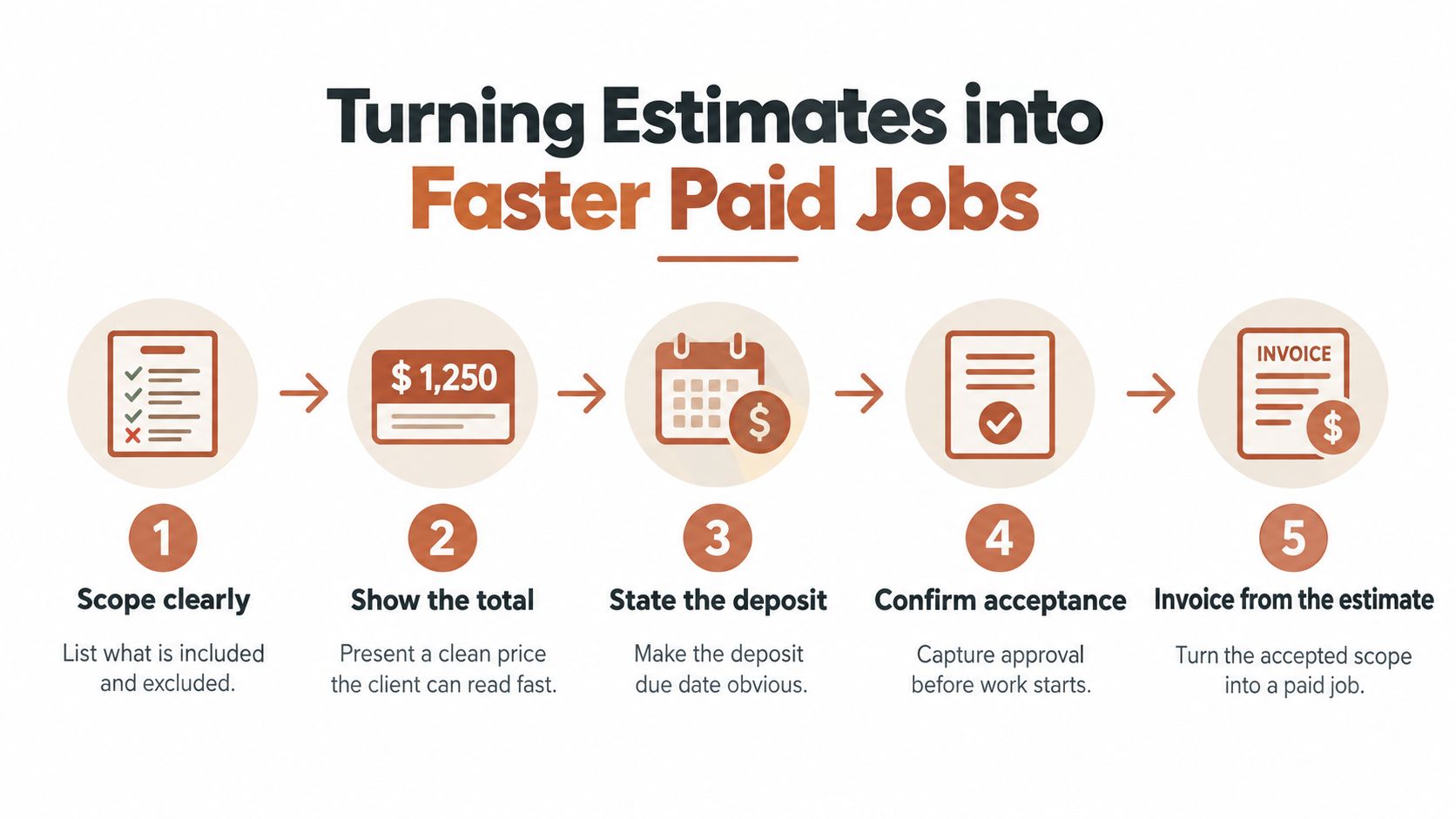
Write the quote so the customer can approve it and make the required payment without calling you. Include the work, exclusions, price expiry, deposit amount, and balance due date. Tie milestone payments to observable events, such as delivery of materials or completion of an agreed stage. Check local deposit limits before setting your terms.
Then enforce the handoff:
- At acceptance: Save the approved version, signature, and date together. A later edit must not overwrite what the customer agreed to.
- Before buying materials: Confirm that the required deposit has cleared. An accepted estimate and a paid deposit are separate checkpoints.
- When scope changes: Price the addition and get written approval before doing it. Keep that approval attached to the job.
- At invoicing: Carry across approved charges, deduct payments already received, and show the remaining amount and its due date.
Keep the path from quote to invoice tied to the same job record. Otherwise, a deposit recorded on your phone can disappear from the bill you rebuild at the kitchen table.
Judge the software by what remains to do after the customer says yes. For a one-person crew, the useful outcome is an approved scope, a recorded payment, and a correct balance ready to send. Extra takeoff tools do nothing to repair a broken handoff.
Real Jobs Where Lightweight Tools Win
Marcus is beside a customer's driveway, phone in hand. His estimating app earns its keep if he can price the wash, get approval, collect a deposit, and carry those charges into the invoice before leaving.
Judge software against the jobs you sell.

Repeat home service
For a returning pressure-washing or lawn-care customer, start with the last accepted job. Reuse the service lines, confirm quantities and current pricing, then send. The useful shortcut carries the customer, scope, and charges through approval and payment without another round of typing.
Choose saved services and repeat-job billing over detailed takeoff tools for this work. Check that copying a job leaves the old approval and payment history attached to the original.
Specialty repairs with unknown scope
A customer reports a faulty outlet. You can price the inspection, but you cannot count replacement devices or wiring repairs until you investigate. Separate the diagnostic visit from work that needs a later price.
Research on estimating accuracy across building-project design stages offers a general analogy for scope uncertainty: estimates change as design information develops. It does not measure handyman or small-repair quote accuracy.
Use an electrical estimate template that separates confirmed quantities from allowances. Your app should let you replace an allowance with priced work while preserving what the customer first accepted. A polished total cannot compensate for an unexamined scope.
Extra treatment discovered on site
During Marcus's wash, an oil stain remains after the standard cleaning pass. Extra treatment needs its own price and customer approval, with no promise of complete removal.
He needs to photograph the stain, add the treatment charge, and send a revision from his phone. The approved addition should reach the final invoice without replacing the original scope or charging the deposit twice. Test that exact sequence before buying.
Multi-crew scheduling and formal job costing justify a heavier suite when those tasks consume your week. For a one-person operation, prioritize a field-ready revision and payment workflow. Every extra screen needs to earn its place.
Moving Off Spreadsheets Without Losing History
You already know which of those jobs you run. The cutover should take a weekend, not a pause in billable work.
Export the last 20 to 30 accepted estimates and the client list. Rebuild only the services that repeat. Keep the old PDFs as the archive. Do not recreate every historical quote inside the new app. History you never reopen is not worth a Saturday.
Map the columns, then run one live job
Turn spreadsheet columns into line items, labor, materials, tax, and markup. Drop unused columns. If a column only existed to make a formula look clever, leave it behind.
Send one real job through both systems in parallel. The old file stays the fallback for that single job. You are checking the handoff, not rebuilding the year.
In the first week, verify five things:
- Revision time: Minutes to change labor, materials, tax, and markup on a live quote.
- Arithmetic: The total matches the lines without a broken cell.
- Approval: A client can accept in the browser without calling you for a login.
- Deposit: Money can land without a second conversation about how to pay.
- Invoice: The accepted scope becomes the bill with no re-entry.
Treat data portability as a buying condition. You should expect PDF export for documents and CSV import and export for clients, income, and expenses, plus the ability to leave with those records intact. A vendor example of lower trial risk is a 30-day refund on the first payment. That is one company's term, not a market standard. Read the refund line before you pay.
If the parallel job fails any of the five checks, stay on the spreadsheet for another week and fix the template. Do not migrate the archive until one live job has gone from quote to deposit without retyping.
Choosing Estimating Software and Taking the Next Step
Pick by who sends the quote, not by who has the longest module list.
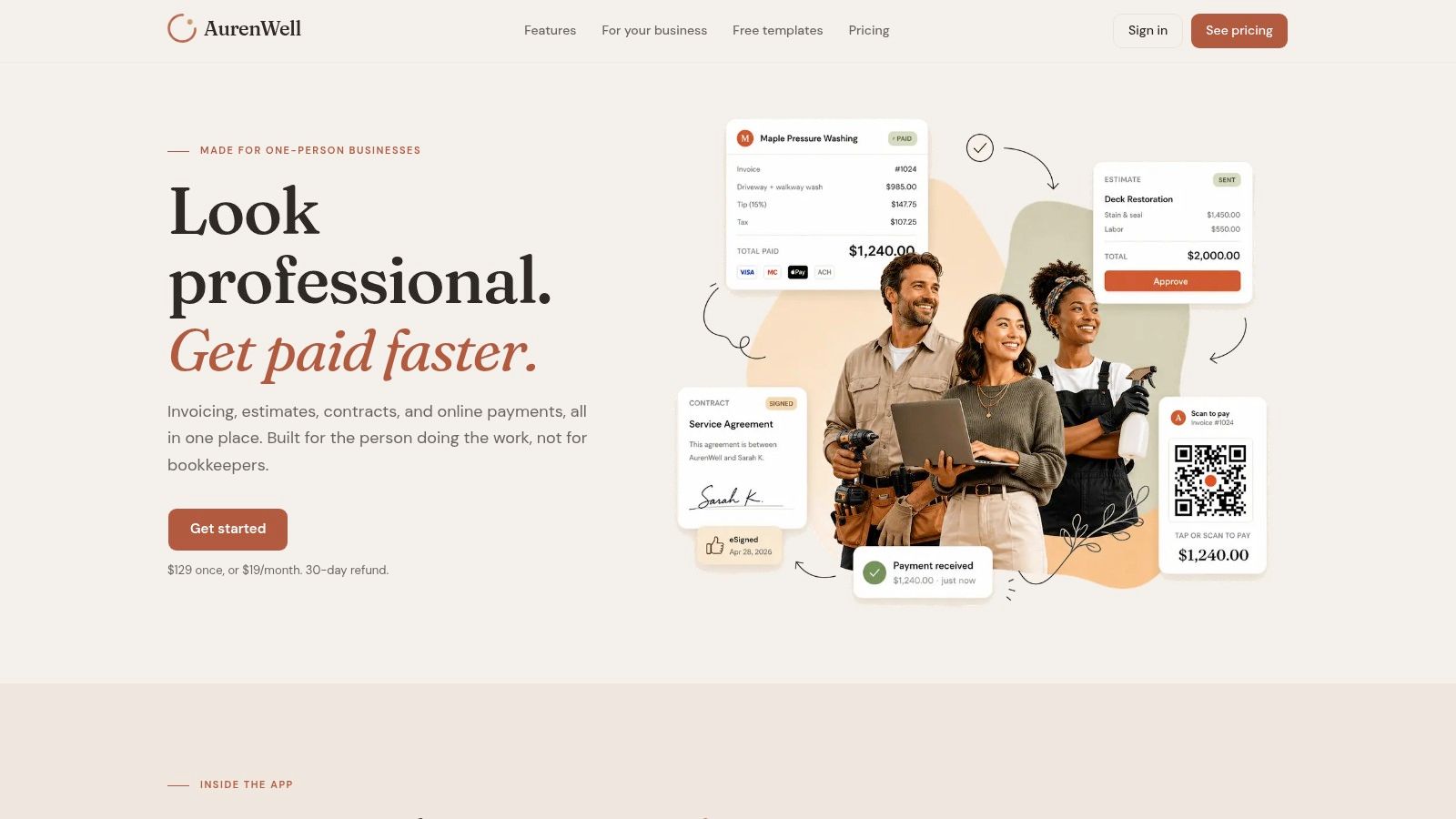
Choose a lightweight quote-to-cash tool when you are the person on the tools, you price from a phone, and you get paid by turning an accepted scope into a deposit and an invoice. That path matches a browser app for invoices, estimates, contracts, and payments, with branded documents, online payment links, reminders, a client record, and time and expense capture. AurenWell is one product built for that narrow layer, at the prices already set out above, and it stays out of dispatch, payroll, pipelines, and double-entry books on purpose.
Stay on a disciplined spreadsheet only if volume is tiny and every job is custom, and only if you still send clear exclusions, an expiration date, and a deposit request. The spreadsheet is acceptable. A vague total in an email is not.
Buy a full construction suite only when scheduling, multi-person job costing, or formal takeoff is already hurting every week. If those pains are hypothetical, the suite will sit half configured while you keep texting prices.
Outside write-ups such as MyOfficeOps on bidding with confidence are useful when you want a second pass on bidding habits. Use them to pressure-test your scope language. Do not let a long feature tour talk you into software your week will never open.
This week, do four things in order. Pull 20 to 30 past estimates. Mark which totals drifted from the final invoice. Time a new quote on the phone. Send one real estimate the client can approve, sign, and pay a deposit on from a single link.
A short walkthrough of that handoff is worth ten minutes before you export the old file.
If the phone quote, the approval link, and the deposit all land on that one job, keep the tool. If they do not, you have your answer without a second month of setup.
Export this month's accepted estimates tonight, score them against the decision tests, and send tomorrow's quote from the phone with exclusions, a deposit, and a link the client can approve. If you want that path in one browser app, open AurenWell, load one repeating service, and run the next real job through approval and deposit before you decide to stay.