
Only 3% of surveyed SMEs had all invoices or turnover paid on time, according to the European Commission staff working document on SME late payment. That's the context a solo contractor works in. A late invoice usually isn't a sign you've picked terrible clients. It's the default condition, and a static PDF sent from your inbox does almost nothing to change it. What changes outcomes is how quickly work becomes an approved, payable, trackable record.
Why Late Payments Make a Contractor Invoice App Essential
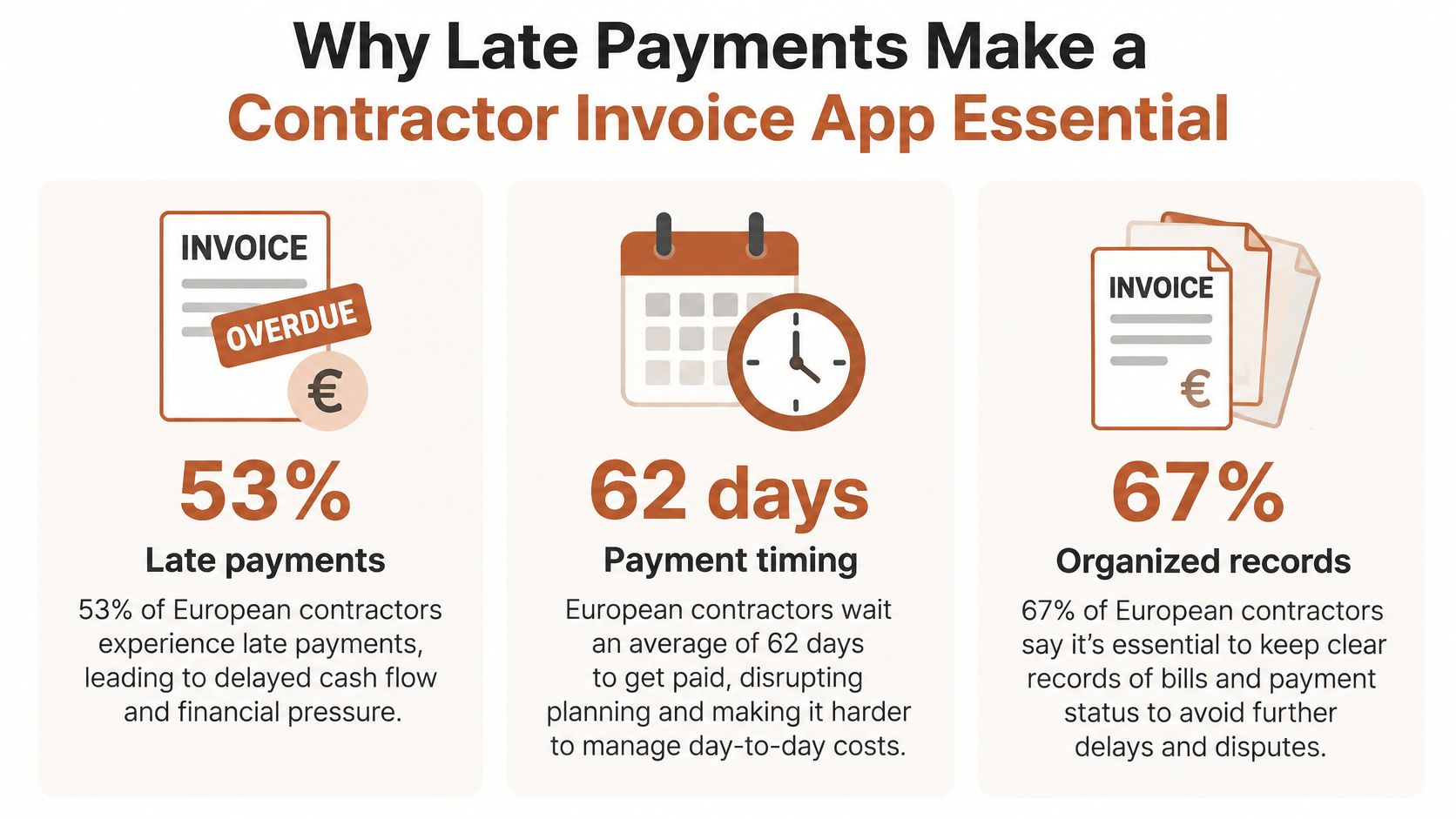
The European Commission's EU Payment Observatory reported that 52% of companies experienced problems because of late payments in 2024, and you can read the figures in the EU Payment Observatory summary for 2025. Average payment periods in that same reporting reached 60.3 days for business to business transactions and 69.8 days for government to business transactions. For a one person business without reserves or someone chasing receivables, that gap isn't an inconvenience. It's rent, fuel, materials, and tax money sitting in someone else's account.
The knock-on effect is documented too. 31% of companies delayed their own supplier payments because customers paid them late. One overdue invoice becomes your overdue bill. The Commission also estimated that eliminating late payments could generate more than €100 billion annually for EU microenterprises, SMEs, and intermediate-sized companies. Those numbers reframe what a contractor invoice app is for. You're not buying prettier templates. You're shortening the interval between finishing work, getting approval, issuing the invoice, and collecting funds.
Where the Delay Actually Happens
Most delays build up before anyone refuses to pay. You finish on Friday, invoice on Tuesday, the client opens it next week, and your due date clock starts late. Add a missing purchase detail or an unclear scope line and the invoice sits again. A useful app attacks those small frictions with mobile invoicing, online payment links, clear due dates, deposit requests, and status tracking that shows viewed, approved, paid, or overdue.
Practical guidance on tightening terms and follow up habits can help you reduce late payments from clients, and it pairs well with a clear process for how to collect payment from a customer once an invoice slips. The rest of this guide treats the app as a lightweight cash flow control system. It covers the job to payment sequence, the features that matter, how focused tools differ from accounting suites, and how to choose and test one against your worst billing pain.
What a Contractor Invoice App Actually Does
At its simplest, a contractor invoice app turns completed work into a bill and gets it paid. The useful version does more. It connects the estimate, the approval, any agreement, the delivery record, the invoice, the payment, and the retained history so you aren't rebuilding the same job in five places. Each event leaves a timestamp, which is what makes the record defensible later.
Take a pressure washing operator quoting a driveway and sidewalk clean. She measures on site, builds an estimate on her phone with line items for the driveway, the walkway, and a detergent treatment, then sends one link. The homeowner opens it in a browser, approves the scope, signs, and pays a deposit without creating an account. She hasn't retyped an address or chased a reply of "looks good" buried in a text thread.
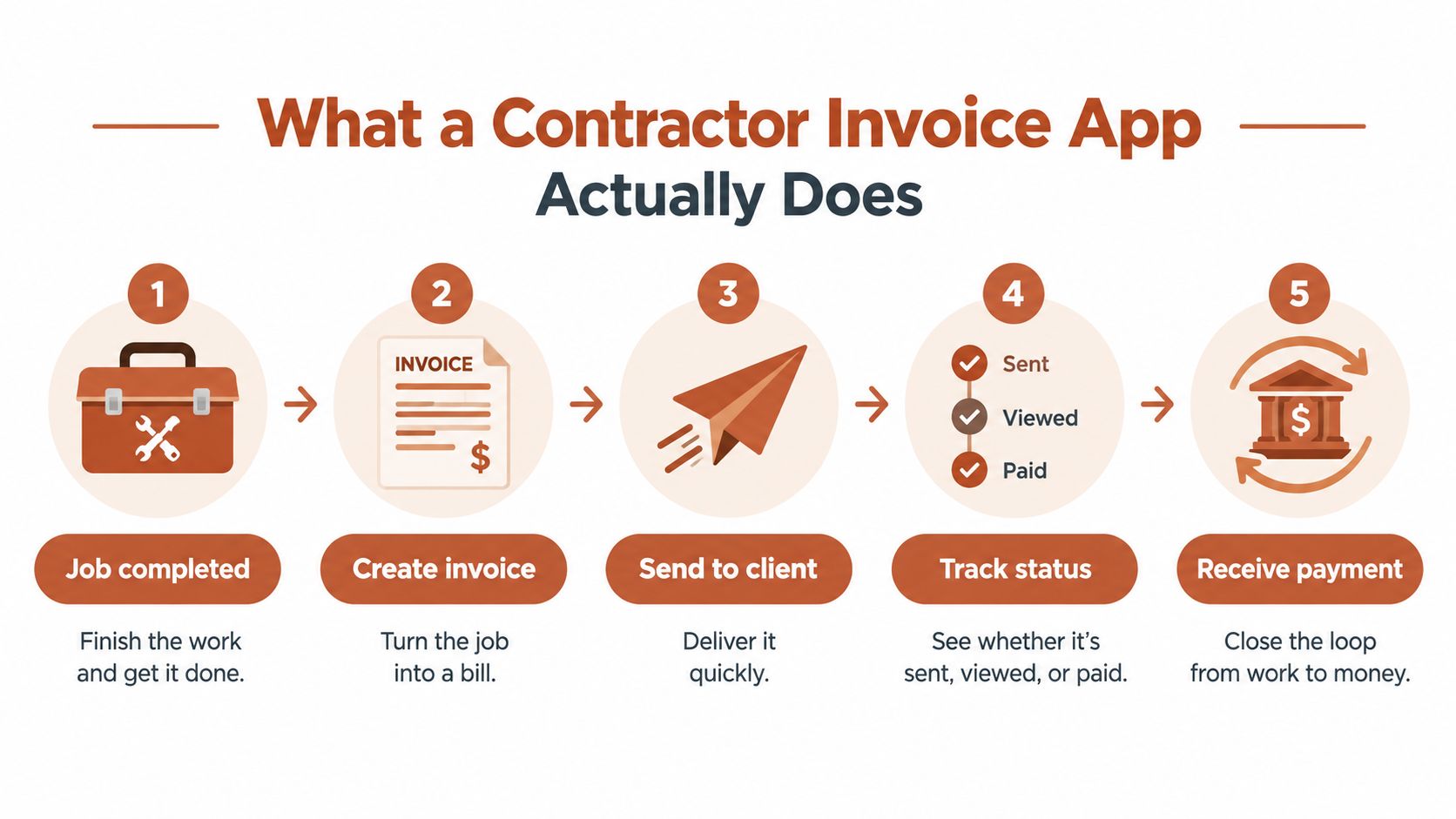
The five stage flow below shows how that sequence moves from finished work to money received.
From Approved Estimate to Paid Invoice
On job day she logs the time, snaps before and after photos, and adds a receipt for chemicals. When the work's done, the approved estimate converts to an invoice in one click, a flow explained in this guide to turning a quote into an invoice. Line items, client details, and the deposit already paid carry over, so the balance due is correct. She sends it before leaving the driveway, the client pays by card from the same link, and the status flips to paid.
- Estimate and approval: Scope, price, and terms are agreed in writing before work starts, not reconstructed after.
- Agreement and deposit: A signed record and upfront money reduce both disputes and no pay risk.
- Delivery and billing: Time, photos, and expenses attach to the same client record that holds the invoice.
- Payment and retention: The paid invoice, signature, and history stay together for taxes or a later question.
This walkthrough shows the same job to payment sequence in a web app format.
The pattern fits more than trades. Tutors, consultants, photographers, and wellness instructors all run some version of quote, agree, deliver, bill, collect. The deliverable changes. The need for one connected job file doesn't.
Must-Have Features for Solo Service Businesses
Feature lists are easy to inflate. Judge each capability against a pain you have, in the order you'd use it on a real job. If a feature doesn't shorten collection time, prevent a dispute, or save retyping, it's decoration.
Start at the front of the job. Estimates that convert to invoices in one click stop you entering the same line items twice and introducing a pricing mismatch the client can query. Browser based approval and e-signature matter because clients ignore attachments but tap links. If approval happens inside the same link as the quote, you get a timestamped yes instead of an ambiguous emoji reply. Deposit collection at that moment is the strongest filter against flaky bookings, since a client who won't pay a deposit is telling you something before you've spent a day on site.
Billing and Collection Essentials
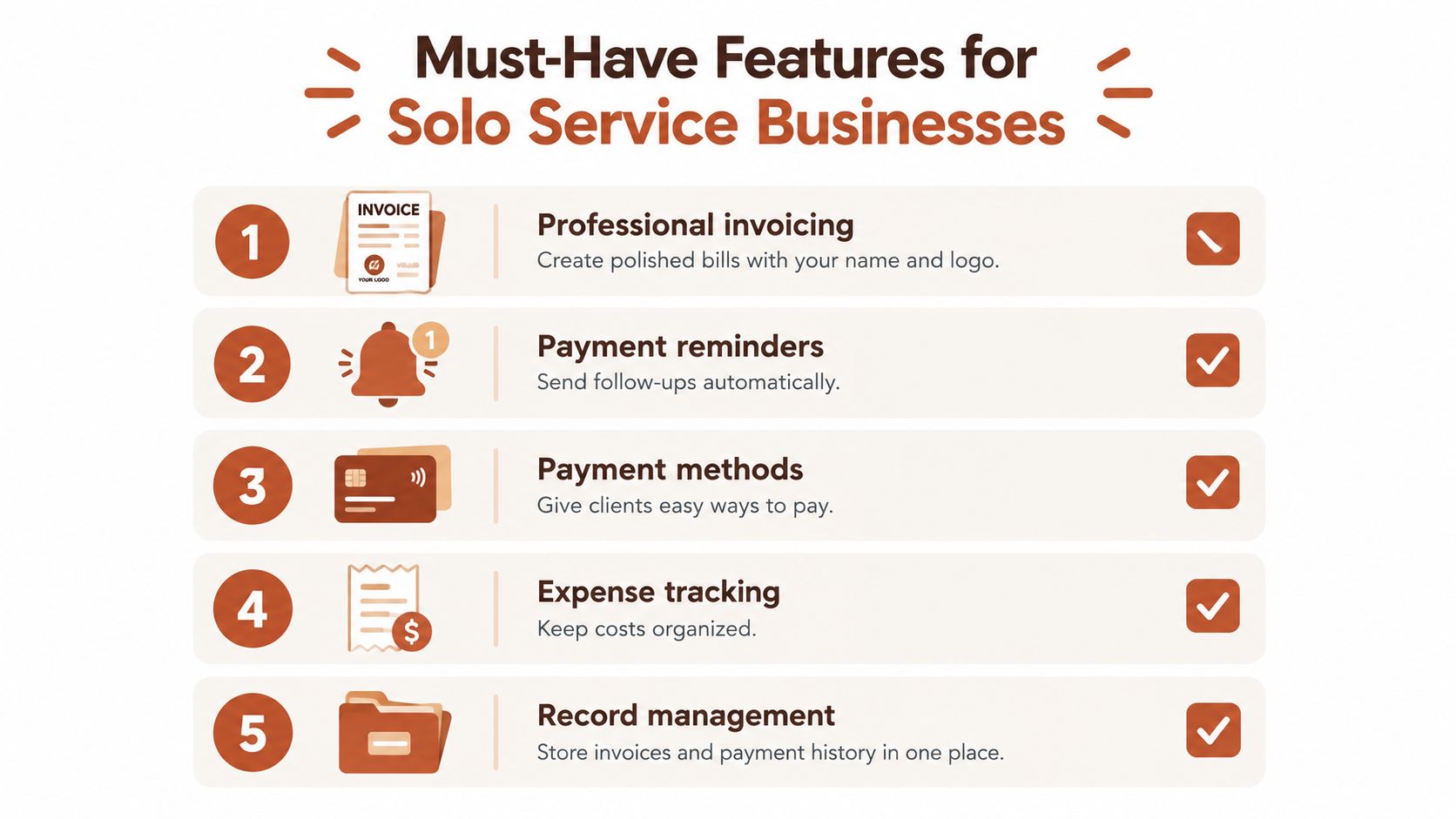
- Professional invoicing with payment links: Your branding, itemized lines, taxes where needed, a due date, and a pay button on the same page the client views.
- Online card and ACH payments: Clients pay how they prefer, and you can still record cash, check, or bank transfer manually for work settled offline.
- Recurring invoices: Repeat cleaning, coaching, or lesson plans bill on schedule instead of relying on your memory at month end.
- Polite overdue reminders: Automatic nudges remove the awkwardness of writing a fresh chase email for every late payer.
Practical rule: If the client has to download, print, sign, scan, and email anything back, you've added days for no benefit.
The back office pieces are quieter but they compound. A centralized client address book keeps every quote, agreement, invoice, and payment under one name, so a repeat client doesn't become four partial records. Time tracking with a simple timer lets hourly work land on the invoice without a separate spreadsheet. Expense capture with receipt snapshots means materials bought mid job get photographed once and categorized, not fished out of a truck console in April. PDF and CSV exports protect you if you change tools or hand records to an accountant.
You can skip plenty. Dispatch boards, CRM pipelines, inventory, and payroll serve multi crew operations, and a solo operator pays for them in setup time and cluttered screens. What you can't skip is mobile first access, because the estimate, the signature, and the final invoice often happen standing in a driveway or between sessions, not at a desk.
The Benefits of Faster Payments and Organized Records
The European Commission reports that structured e-invoicing can automate preparation, run faster error checks, and transfer data instantly, and its cited evidence indicates e-invoices are typically settled 5 to 7 days earlier than paper invoices, as set out in the European Commission e-invoicing thematic report. A week earlier on every job is real money timing for a solo business. It's the difference between covering a supplier bill from receipts and covering it from a credit card.
Be honest about the limit, though. Digitization removes processing friction. It doesn't reform a client who deliberately pays late to manage their own cash flow. That's why the benefit only holds when structured invoicing sits alongside deposits, explicit due dates, reminders, and an escalation step you decided in advance. The app handles the mechanical delays so you can spot the behavioral ones.
Telling Friction Apart From Credit Risk
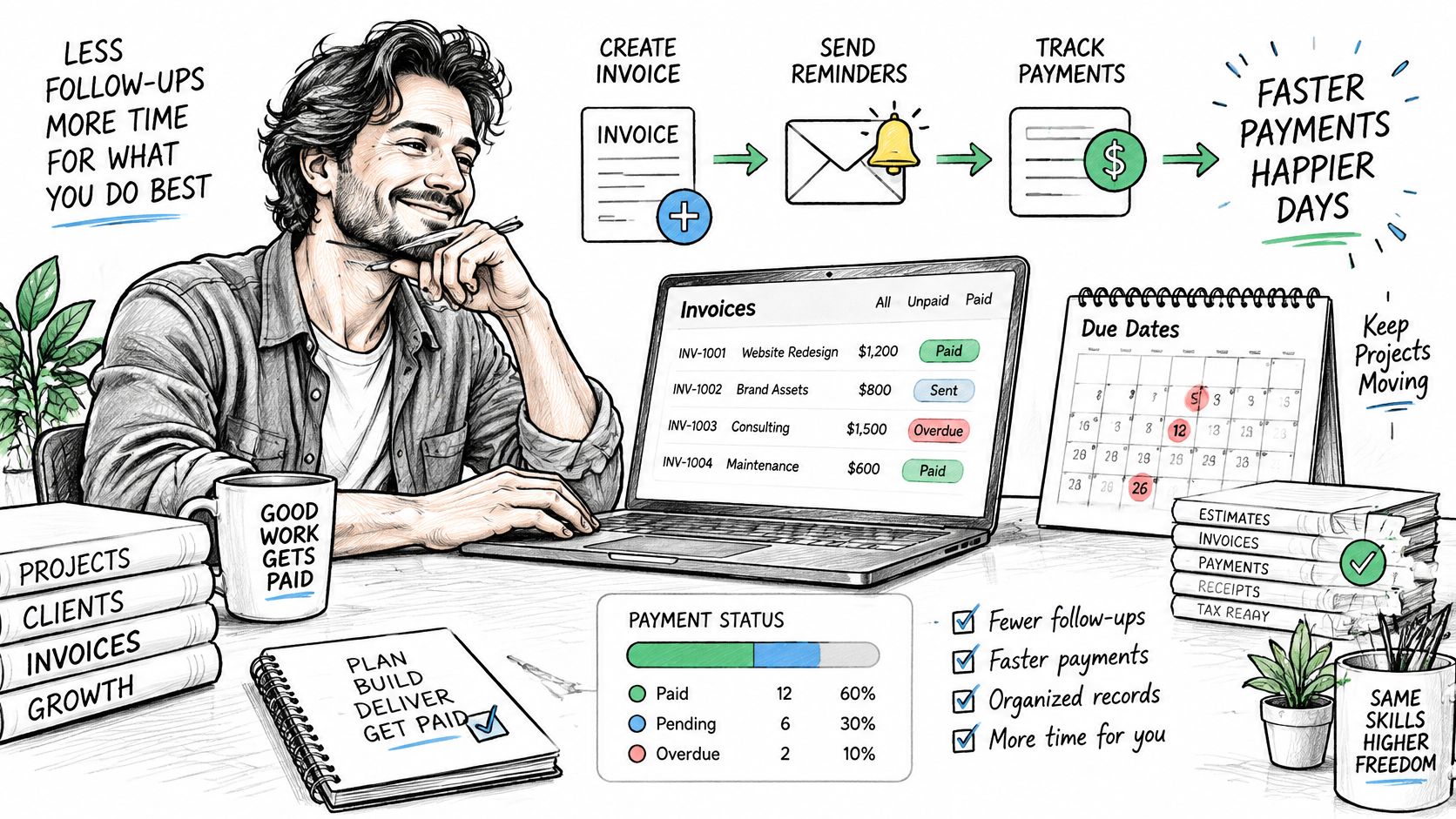
Timestamps do diagnostic work. If an invoice was sent Monday, viewed Wednesday, and paid Friday, your process is fine and the client is fine. If it's viewed four times and still unpaid at day twenty, delivery isn't the problem. Preserving separate events for sending, viewing, approval, payment initiation, and settlement lets you distinguish operational delay from customer credit risk and respond differently to each.
Organized records pay off separately from speed. When quotes, agreements, deposits, invoices, and payments live on one client record, tax time becomes an export instead of an archaeology project across email, texts, and a shoebox of receipts. Pairing that record with consistent expense tracking for a small business means the cost side is as retrievable as the income side. And when a client disputes a charge six weeks later, you answer with the approved scope and the dated approval, not with your memory of a phone call.
How Invoice Apps Compare to Full Accounting Suites
The common fork is a focused invoice app or a full accounting suite such as QuickBooks Online, FreshBooks, or Xero. Suites are built around the books. They add double entry accounting, reconciliations, payroll, and financial reporting, which is valuable if you or your accountant live in those screens. The cost is setup time, accounting vocabulary, and workflows designed for office staff rather than for someone invoicing from a job site between tasks.
Focused apps take the opposite trade. They cover the narrow layer between finishing work and getting paid, and they leave formal bookkeeping to exports or to your accountant's system. You give up depth you'll likely never open. You gain screens named after tasks, faster setup, and a workflow that starts with an estimate instead of a chart of accounts.
| Factor | Focused Invoice App | Full Accounting Suite |
|---|---|---|
| Scope | Estimates, contracts, invoices, payments, basic tracking | All of that plus double entry books, payroll, reporting |
| Setup time | Short, task named screens, minimal configuration | Longer, accounts and categories to configure first |
| Learning curve | Low for non accountants | Steeper, uses accounting terminology |
| Field use | Designed for phone first invoicing on site | Usable on mobile, designed primarily for office work |
| Cost shape | Lower, narrower toolset | Higher, priced for breadth and multiple users |
One Focused Option Described Concretely
AurenWell is an example of the focused model. It provides invoices, estimates, contracts, and online payments in a single web app, with a seven tool scope that excludes dispatch, CRM pipelines, payroll, and double entry accounting by design. Pricing is $19 monthly, $89 yearly, or a one time $129 lifetime option. Online payments run through Stripe with Stripe processing plus a 1% platform fee, and there's no fee to record a manual payment. The vendor states a 30 day refund on the first payment and lets you export your data at any time.
A narrower tool you actually open every day beats a comprehensive suite you avoid until tax season.
Choose the suite if you run payroll, carry inventory, or need your invoicing and books in one ledger your accountant manages daily. Choose the focused app if you're the whole business, your pain is quoting, signing, billing, and chasing, and you'd rather export clean records than maintain a full accounting system yourself.
A Practical Checklist for Choosing Your App
Work through criteria, not brand names. Test each one with a real job from last month, including the awkward parts like a deposit and a change mid job. Marketing pages all claim speed. Your own test reveals where the retyping hides.
Construction payment data shows why the payment terms features deserve scrutiny first. Average subcontractor payment time reached 96 days in 2025 and more than 75% reportedly covered vendor costs out of pocket during the wait, according to the Siteline construction payments report. You're probably not a subcontractor, but the lesson transfers. An app should support deposits, milestone or partial payments, and explicit approval deadlines that you set before work begins, not just reminders after it's late.
- Payment options and fees: Confirm card and ACH support, the total processing cost, and whether recording cash or check payments is free.
- Estimate conversion: Check that an approved estimate becomes an invoice without re-keying line items, taxes, or client details.
- Contracts and e-signature: Look for browser based signing tied to the client record, not a separate tool with its own login.
- Reminders and recurring billing: Verify you can schedule overdue nudges and set repeat invoices for ongoing services.
- Client history: Open one client and confirm quotes, signed documents, invoices, and payments all appear together.
Questions to Ask Before You Commit
Check time tracking and expense capture if you bill hourly or buy materials, since bolting those on later recreates the scattered stack you're trying to escape. Confirm export formats, specifically PDF for documents and CSV for clients, income, and expenses, and download a test file. Read the refund policy and ask what happens to your data if you cancel. Then test on your phone with one hand, in daylight, the way you'll really use it.
Match the tool to your payment triggers. Residential one off jobs need fast on site invoicing and deposits. Recurring services need schedules and reminders. Consulting and creative engagements need signed agreements, milestones, and change documentation. The right app is the one whose defaults match the work you sell most.
Real Use Cases from Solo Service Providers
A handyman finishes a drywall repair and a faucet swap at a rental property. The landlord isn't on site and last time the invoice sat in an inbox for two weeks. This time he builds the invoice on his phone in the driveway, attaches a photo of the finished wall, and texts the payment link before loading his tools. The landlord views it that evening and pays by card. The feature that resolved the pain wasn't the template. It was mobile invoicing with a payment link sent while the work was still visible and undisputed.
A wedding photographer runs a different risk. Her pain is scope, dates, and holding a Saturday for someone who hasn't committed. She sends an estimate with packages itemized, the client approves and signs the service agreement in the browser, and the deposit is collected in the same flow. When the couple later adds a second shooter, she documents the change against the same record instead of starting a new thread. After the wedding, the approved estimate converts to the final invoice with the deposit already applied. One click estimate to invoice conversion and browser based e-signature do the heavy lifting.
When the Record Settles the Argument
A personal trainer sells monthly session packs and used to chase the same five clients manually. She sets up recurring invoices so each pack bills on the same date, with automatic reminders at 3, 7, and 14 days overdue. Clients who pay by bank transfer get recorded manually against the same invoice, so nobody receives a reminder for money already sent. Her chasing drops to late payers, and she can see exactly who viewed what.
The audit trail matters across all three. NIST explains that digital signatures can protect audit records from undetected modification and recommends strong access controls for those records, as described in the NIST guidance on audit trails and digital signatures. In practice that means the signed agreement, the approval timestamp, the invoice version, and the payment event stay linked and append only. Software records organize your evidence, but they don't replace a valid contract, legally required invoice fields, or your local retention rules. Kept properly, the same job file that gets you paid also answers a dispute and supports your tax records.
Your Next Step Toward Getting Paid on Time
The argument of this guide is simple. A contractor invoice app earns its place as a cash flow control system, not as a document generator. Deposits, approvals, clear due dates, payment links, reminders, and a complete job file make payment expectations visible, provable, and actionable. A prettier PDF alone changes none of that.
Start with one recurring pain rather than a full overhaul. If repeat clients pay late, test recurring invoices and reminders. If PDFs vanish in email, test browser based approval and payment in one link. Run a single app against that pain for one full billing cycle, and check the export options and refund terms before you pay anything.
Open an account with a focused tool, recreate your last real job from estimate to paid invoice, and send yourself the client link to see what your customers will see. If that test job takes minutes and leaves a clean, exportable record, move your next live job onto it and make the complete job file your habit from the first quote onward.
Ready to put this into practice? Try AurenWell today and turn your next finished job into an approved, paid, and properly documented invoice in one flow.